


Trade Credit
B2B companies buy on credit with a limit, payment terms and a full transaction history, and the store makes sure no one exceeds the available credit.
About the module
Trade credit for B2B companies. Each organization has a credit account with a limit, and the ledger records every transaction. The “Payment on Account” payment method charges the account when an order is placed and releases the credit when the order is canceled or refunded.
Compatibility
The Trade Credit module is part of Satisfly B2B Suite. It works with version 2.4.7 and later, is compatible with Mage-OS and Magento Open Source, and works with popular themes such as Hyvä and Luma.
How it works
-
Credit account
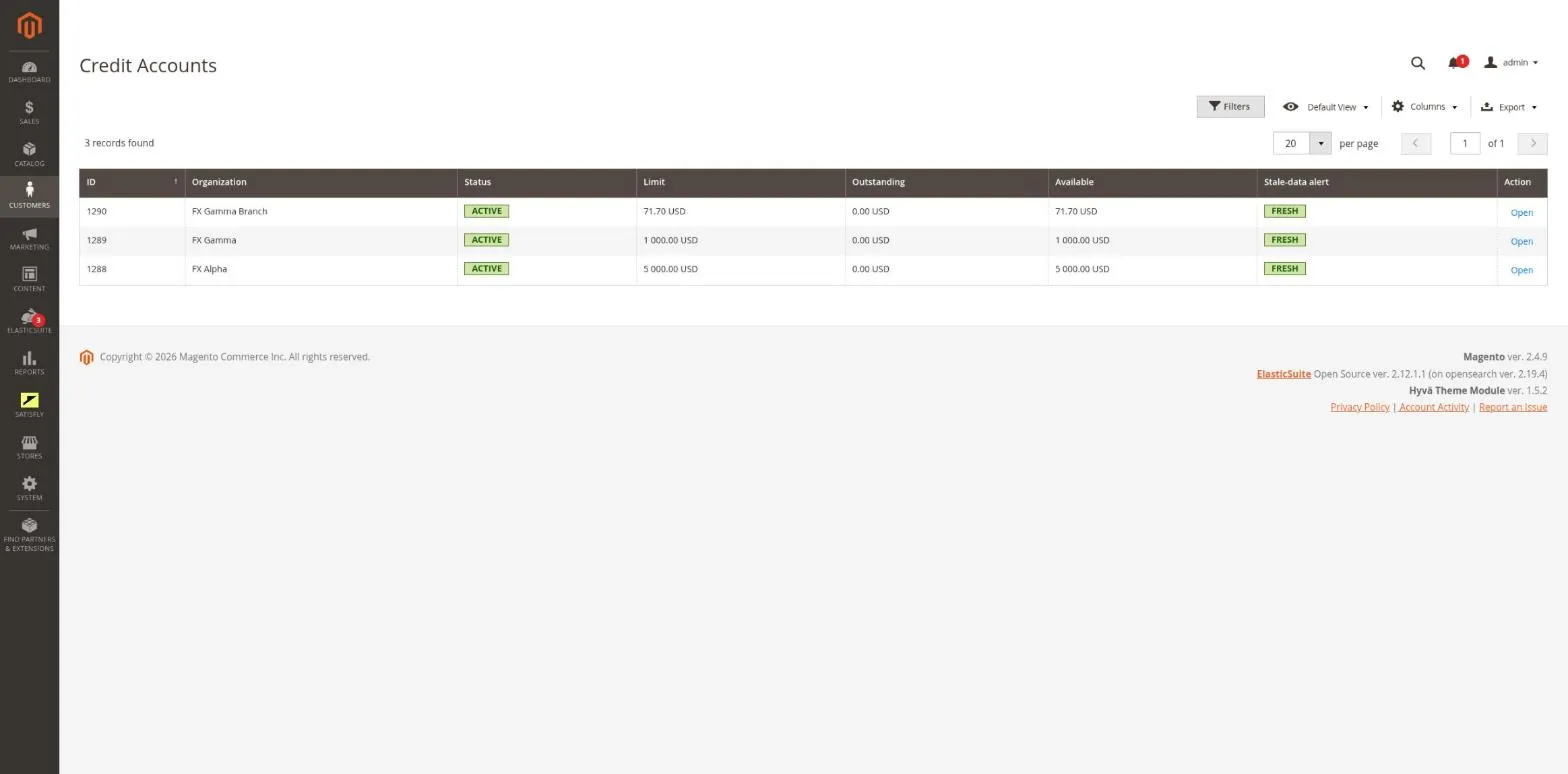
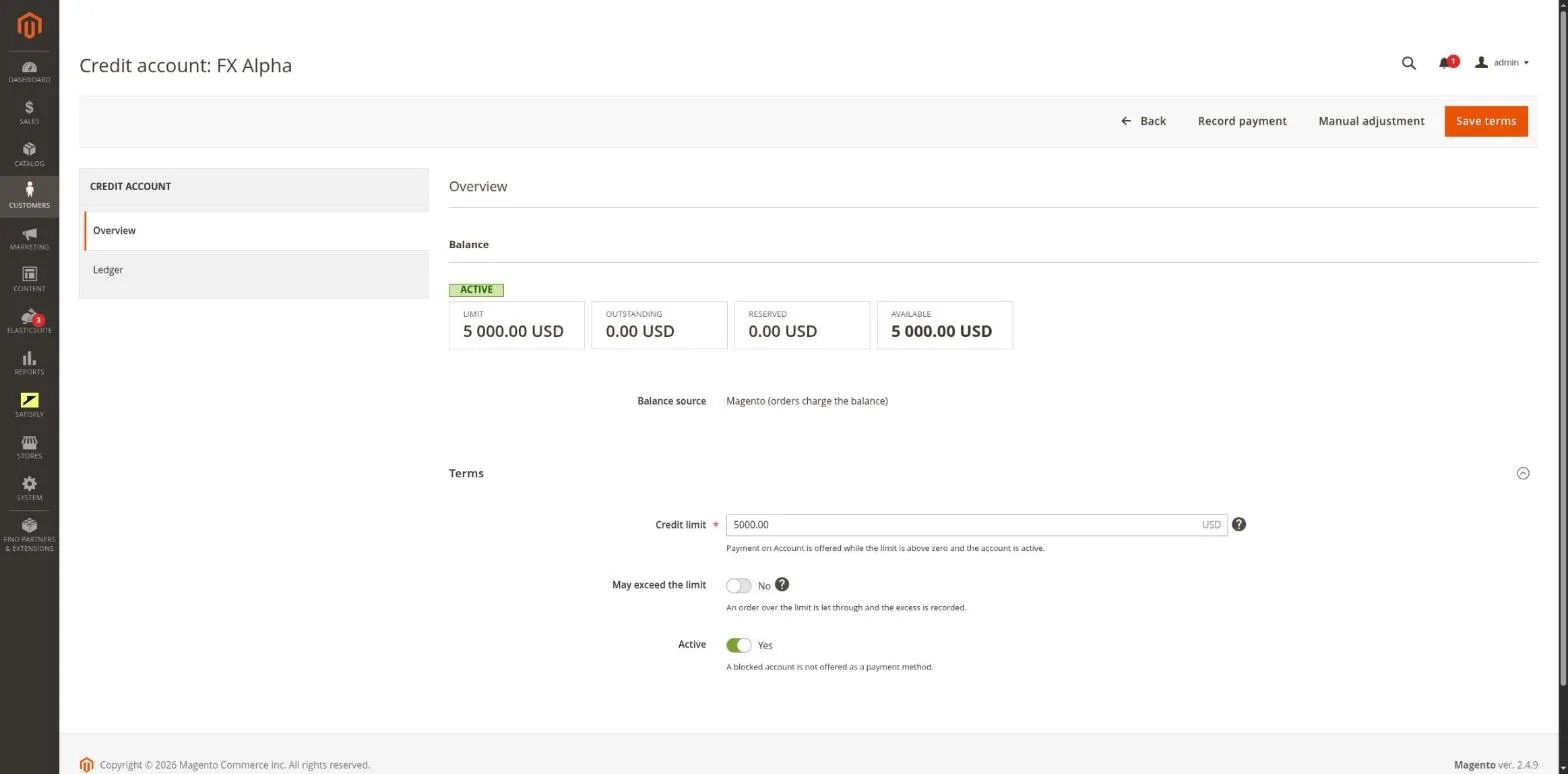
Each organization has one account with a credit limit, a “can exceed limit” option, a credit hold and payment terms. You record terms, payments and manual adjustments in the admin on the account page, always with a required comment.
-
Transaction ledger
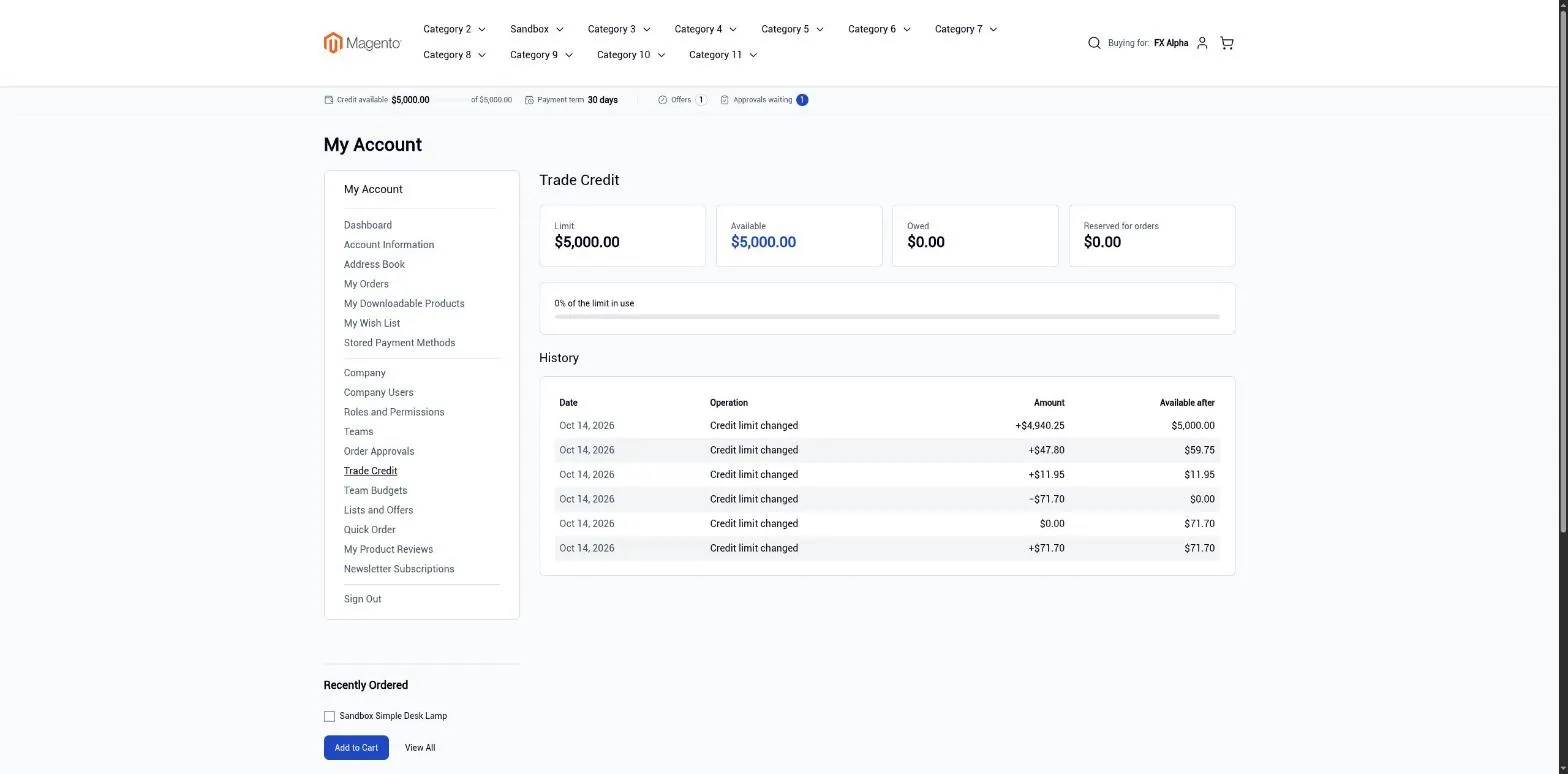
The ledger is append-only. It records every transaction: order charges and releases, payments, adjustments, limit changes and ERP snapshots, and shows the balance on every row. It is available in the admin and in the storefront.
-
Payment on Account
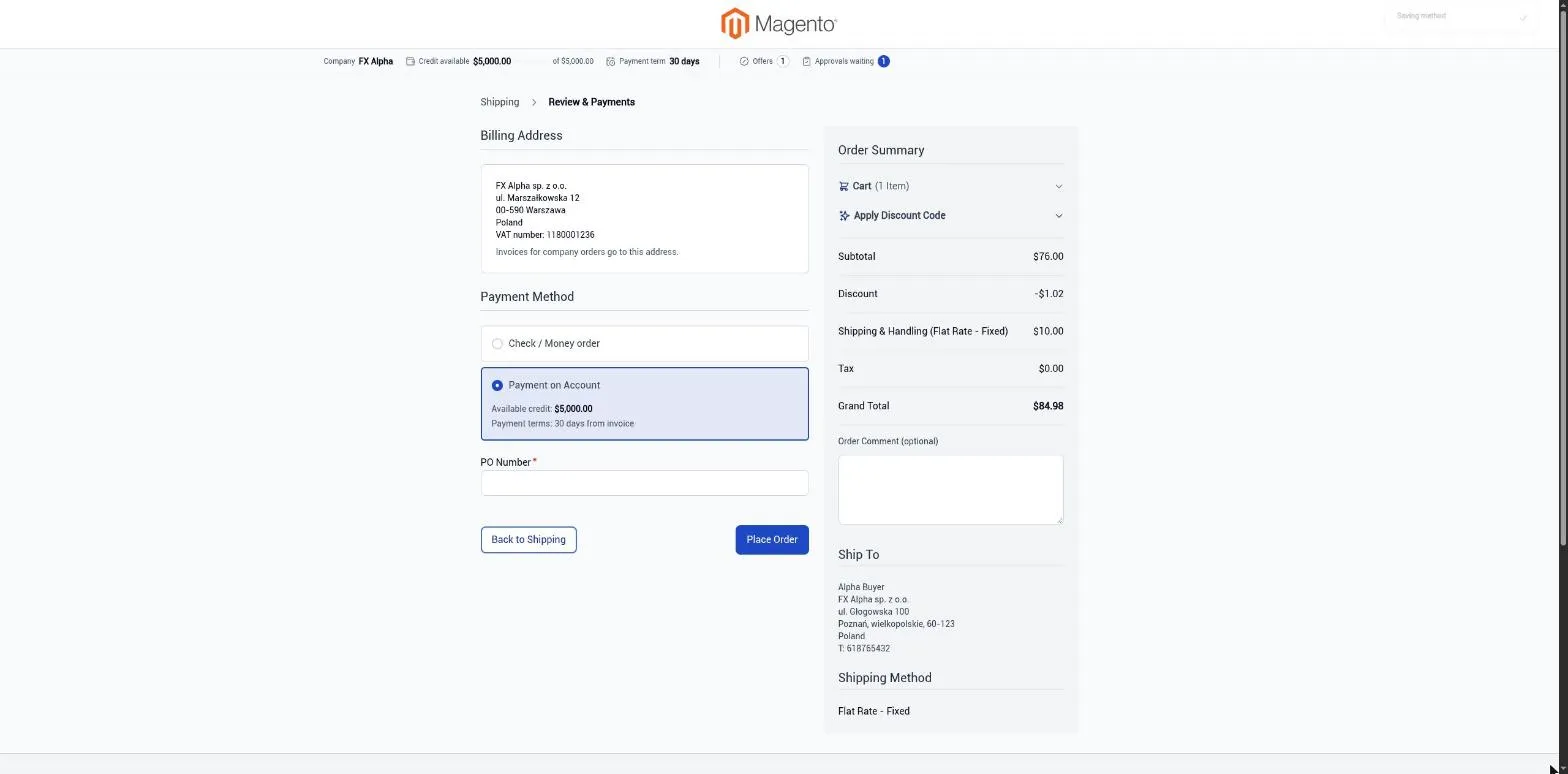
The method works at checkout and when creating an order in the admin. It is available on B2B websites for companies with an active account and a limit above zero, if the member’s role allows it. The account charge is part of the order transaction, so a failed order leaves no charge behind. An order over the available credit is rejected with a clear message, unless the account can exceed its limit.
-
Credit releases
Canceling an order or creating a credit memo automatically returns the credit to the company’s account.
-
Balance from Magento or the ERP
You choose the balance source for each website. With Magento as the source, the balance comes from orders and payments recorded in the store. With the ERP as the source, the balance comes from the ERP in snapshots, and Magento only reserves credit for open orders. Overdue invoices can then block orders on account, and an outdated balance triggers an alert in the admin or a credit hold.
-
Payment terms
The organization’s payment terms, set in days, appear on the order, in emails and on invoices.
-
Credit in the storefront
On the My Account > Trade Credit page, a member sees the limit, available credit, balance and ledger, if their role allows it. The company bar shows the available credit, the amount due and a “credit on hold” message.
-
REST and GraphQL
REST supports accounts, the ledger, payments, adjustments and ERP snapshots. GraphQL provides credit data to the storefront.
Merchant
In Customers > B2B > Credit Accounts, the merchant opens or creates an account and sets the limit and payment terms. When the customer pays, they record a payment, and in other cases an adjustment. Both entries require a comment. With the ERP as the balance source, they supply balances through the API or a CLI command and release reservations manually until the ERP takes this over.
Buyer
At checkout, the buyer sees the “Payment on Account” method if they are allowed to use it. In My Account > Trade Credit, they check the limit, available credit and ledger. Entries for orders they cannot open are shown without the order number.
Notes and limitations
What to know before you roll out trade credit.
-
 If two admins edit the same order at the same time, the limit can be briefly exceeded by one order
-
Payments cannot exceed the balance due, and adjustments cannot go below zero
-
Payment terms are displayed but not enforced: Magento itself does not defer payment
-
Reconciling reservations with ERP invoices and automatically canceling unpaid orders are not part of this module


