


Contract Price Lists
Every customer sees their negotiated prices on your B2B platform,
with volume discounts and margin protection, without recalculating quotes by hand.

About the module
Contract price lists for B2B: prices negotiated per company, customer group or individual customer, with quantity tiers, price floors and bulk XLSX/CSV import. The buyer sees and pays the contract price in the catalog, cart and checkout, and never more than the regular store price (unless the merchant decides otherwise).
Compatibility
The Contract Price Lists module is part of Satisfly B2B Suite. It works with version 2.4.7 and later, is compatible with Mage-OS and Magento Open Source, and works with popular themes such as Hyvä and Luma.
How it works
-
Price lists and rules
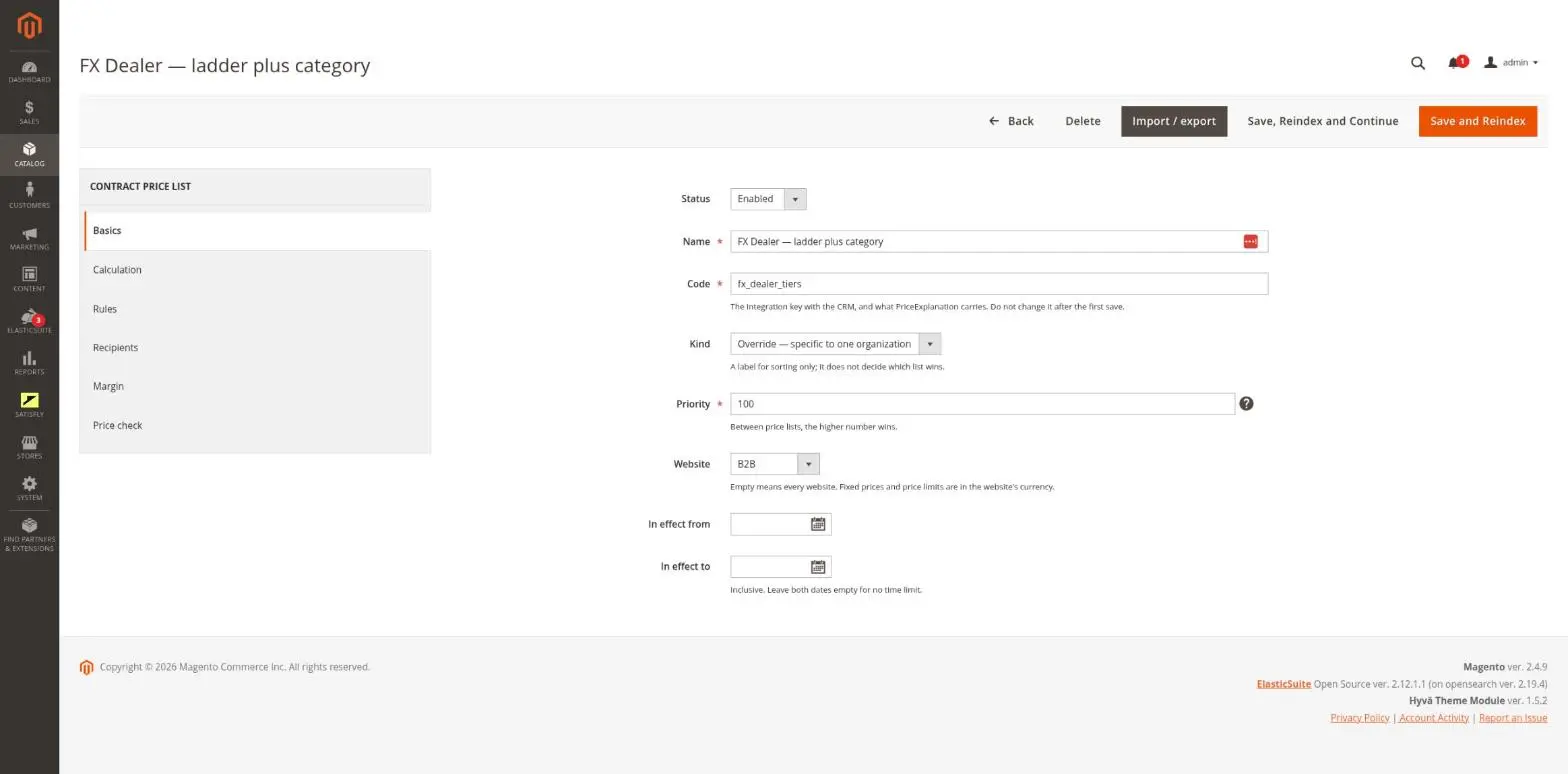
In the admin, a price list is made up of rules. A rule covers a single SKU, an attribute value, a category, an attribute set, the entire catalog or a set of custom conditions. It also defines the calculation method: percentage discount, fixed amount discount, fixed price, percentage of the base price or markup on cost.
-
Assignment to companies
In the admin, you assign a price list to an organization, a customer group or an individual customer. Each assignment has its own validity period and priority. When several price lists apply to a buyer, the winner is determined unambiguously: first by price list priority, then by assignment priority, and finally by how specifically the recipient is targeted.
-
Quantity tiers
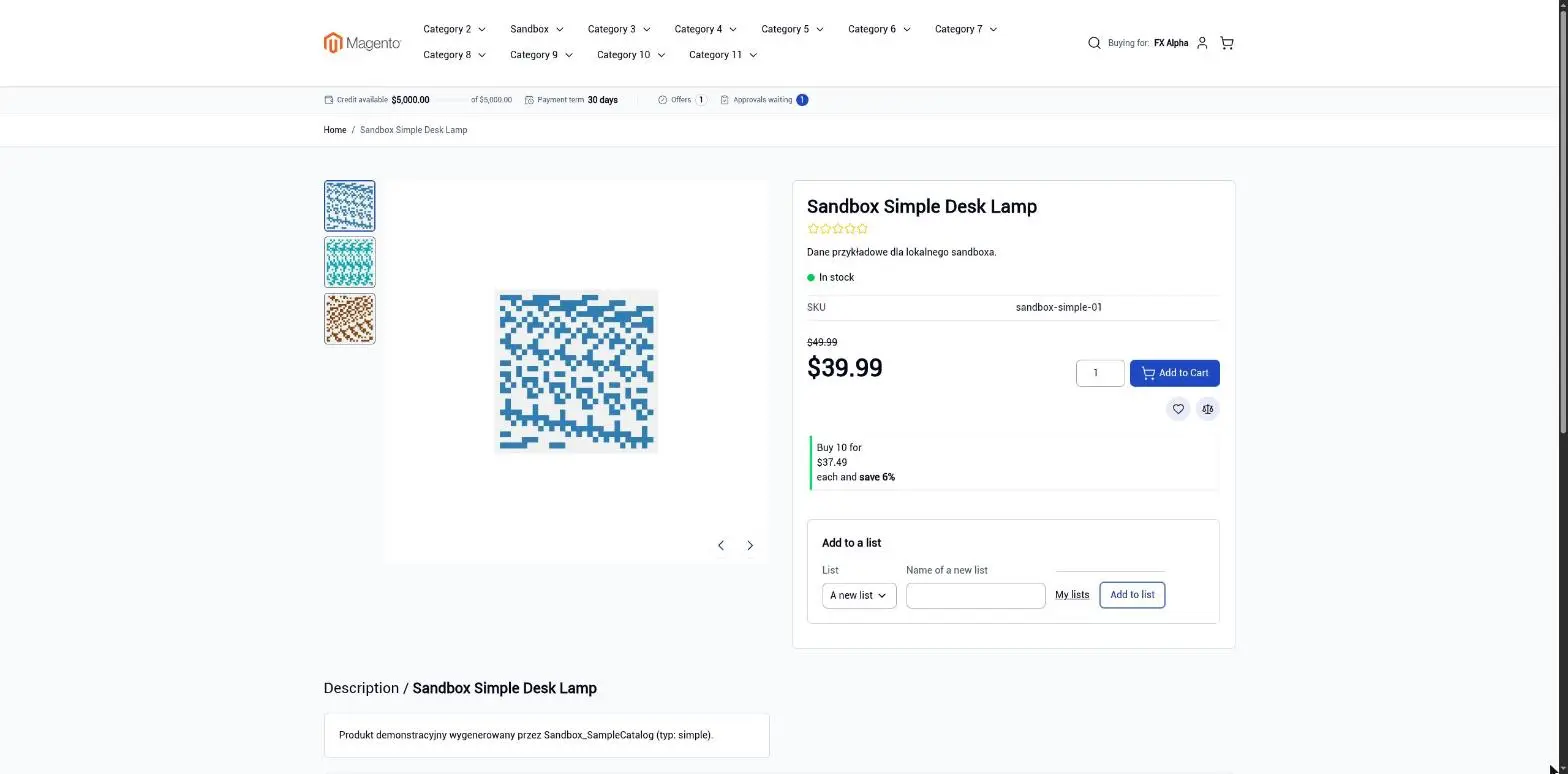
Each rule has a ladder of quantity tiers (“from quantity N”) set in the admin. In the store, the tiers appear as tier prices on the product page and are applied in the cart.
-
Price guardrails
A minimum margin calculated from product cost, a minimum selling price from the ERP and a maximum discount (per website or per price list) keep the contract price from dropping too low. Changing these guardrails requires a separate permission.
-
Import and export
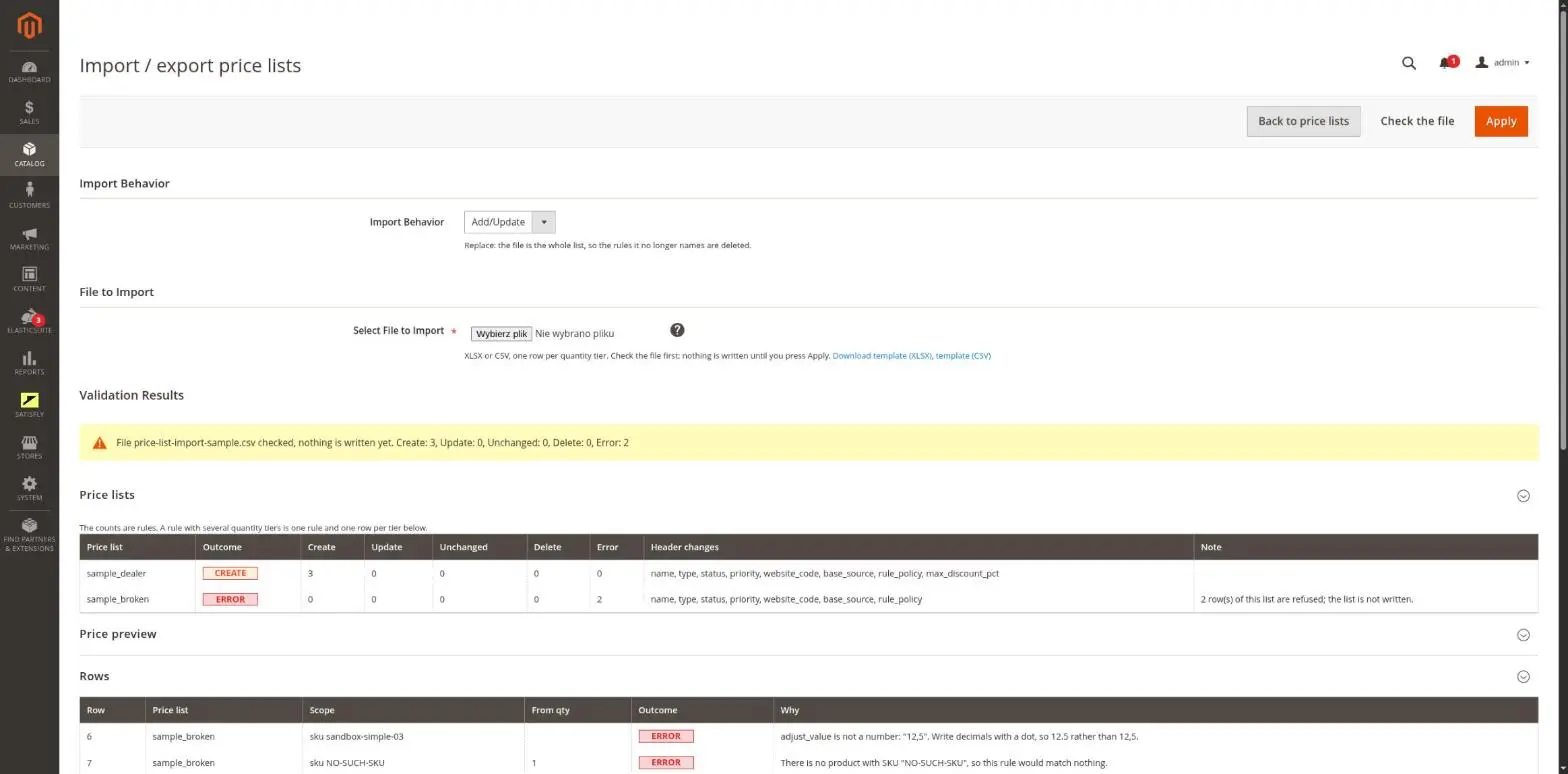
You import and export price lists in the admin or through REST as an XLSX or CSV file, where one row equals one quantity tier. Before anything is saved, you see a preview of the resulting prices.
-
Cart price rules
An item with a contract price is final by default. Cart price rules can then only grant free shipping, or stack with the contract price if you allow it, per organization or per rule.
-
Diagnostics
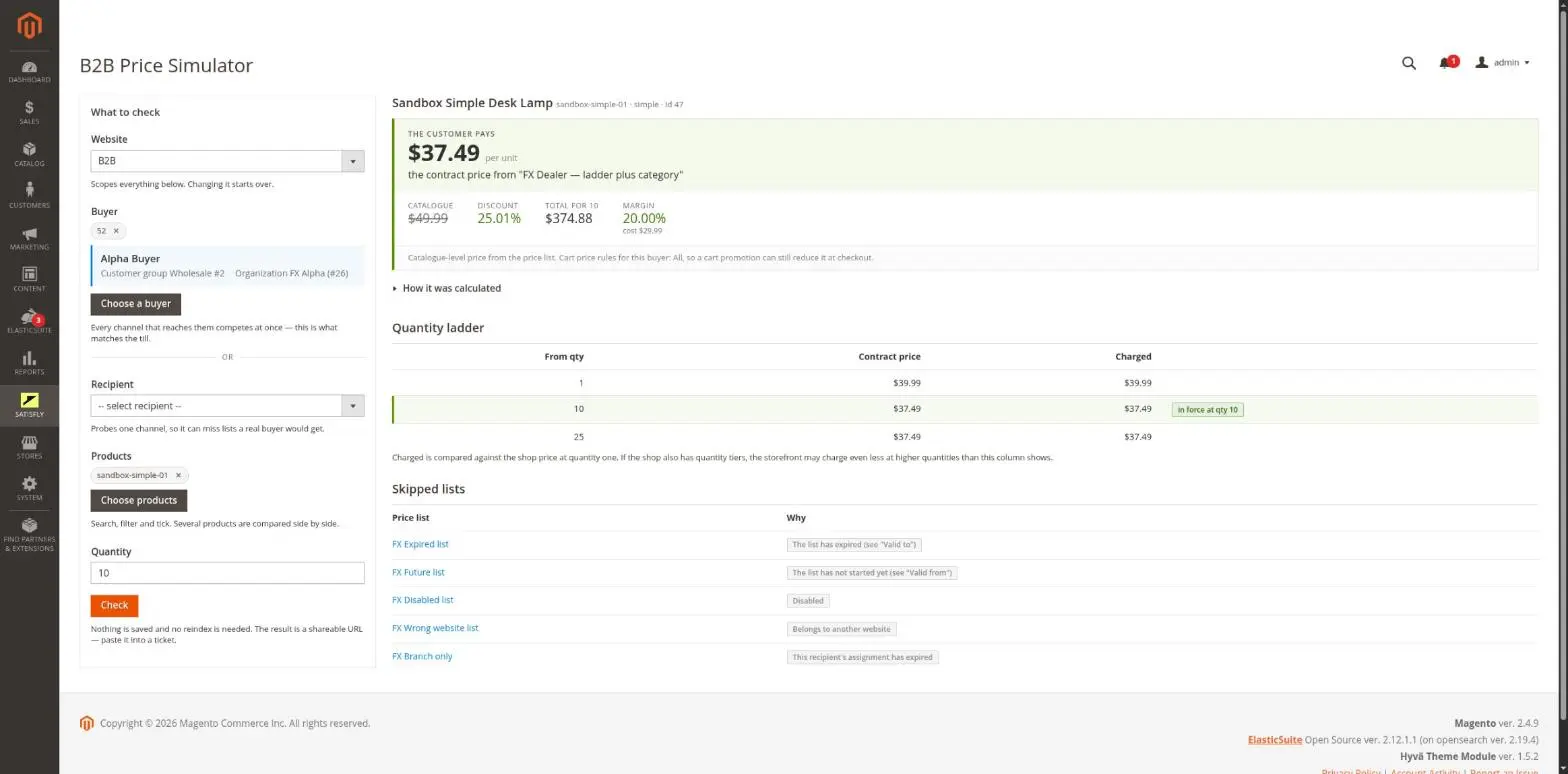
The admin includes a Price Simulator that answers the question “how much does this buyer pay for this product, and why”. You also get a Price Index status view and a margin report per price list.
-
REST and GraphQL
Price lists can be read and bulk imported through REST. Contract prices appear in catalog responses on the B2B website.
-
Cron and queue
The price index is rebuilt in the background, and large imports are processed by a queue consumer, so the store runs without slowdowns.
Notes and limitations
What to know before you roll out contract price lists.
-
 Contract prices work only on websites with B2B enabled
-
Guests and B2C websites always see regular store prices
-
Import: one row per quantity tier, up to 20,000 rows per file
-
Cost-based price lists ignore the website’s maximum discount, so use Minimum margin % for them
-
The margin floor works only for products with the cost field filled in
-
Without cron, the price index is not rebuilt and store prices become outdated


