


Company Users
Companies invite their own colleagues, assign roles and organize teams,
while you keep full control over who buys on their behalf.

About the module
The module manages company users: who belongs to the company, in what role and with what status. The merchant adds people in the admin, companies invite their own colleagues in the store, and buyers can apply for a company account.
Compatibility
The Company Users module is part of Satisfly B2B Suite. It works with version 2.4.7 and later, is compatible with Mage-OS and Magento Open Source, and works with popular themes such as Hyvä and Luma.
How it works
-
Magento admin
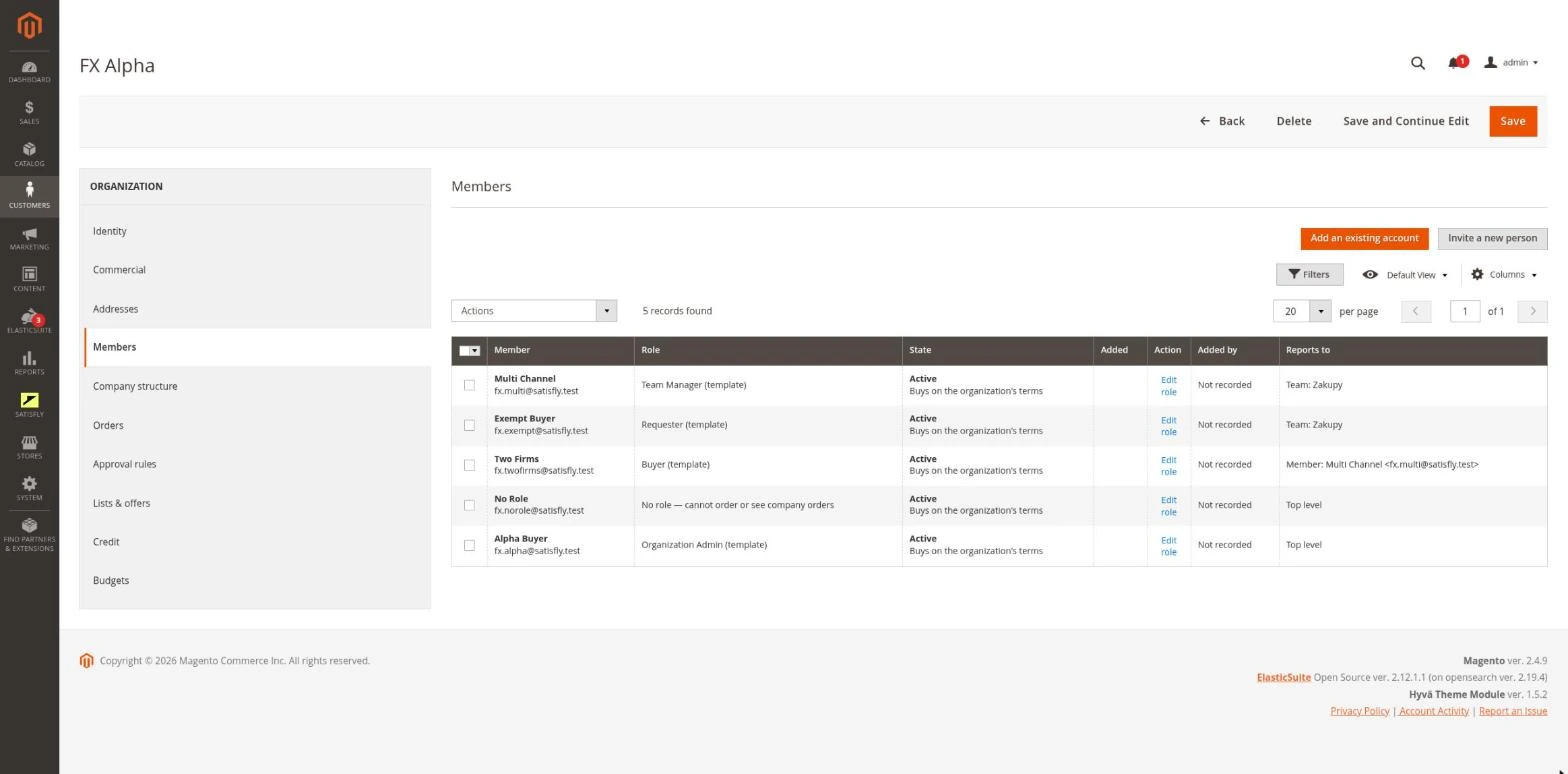
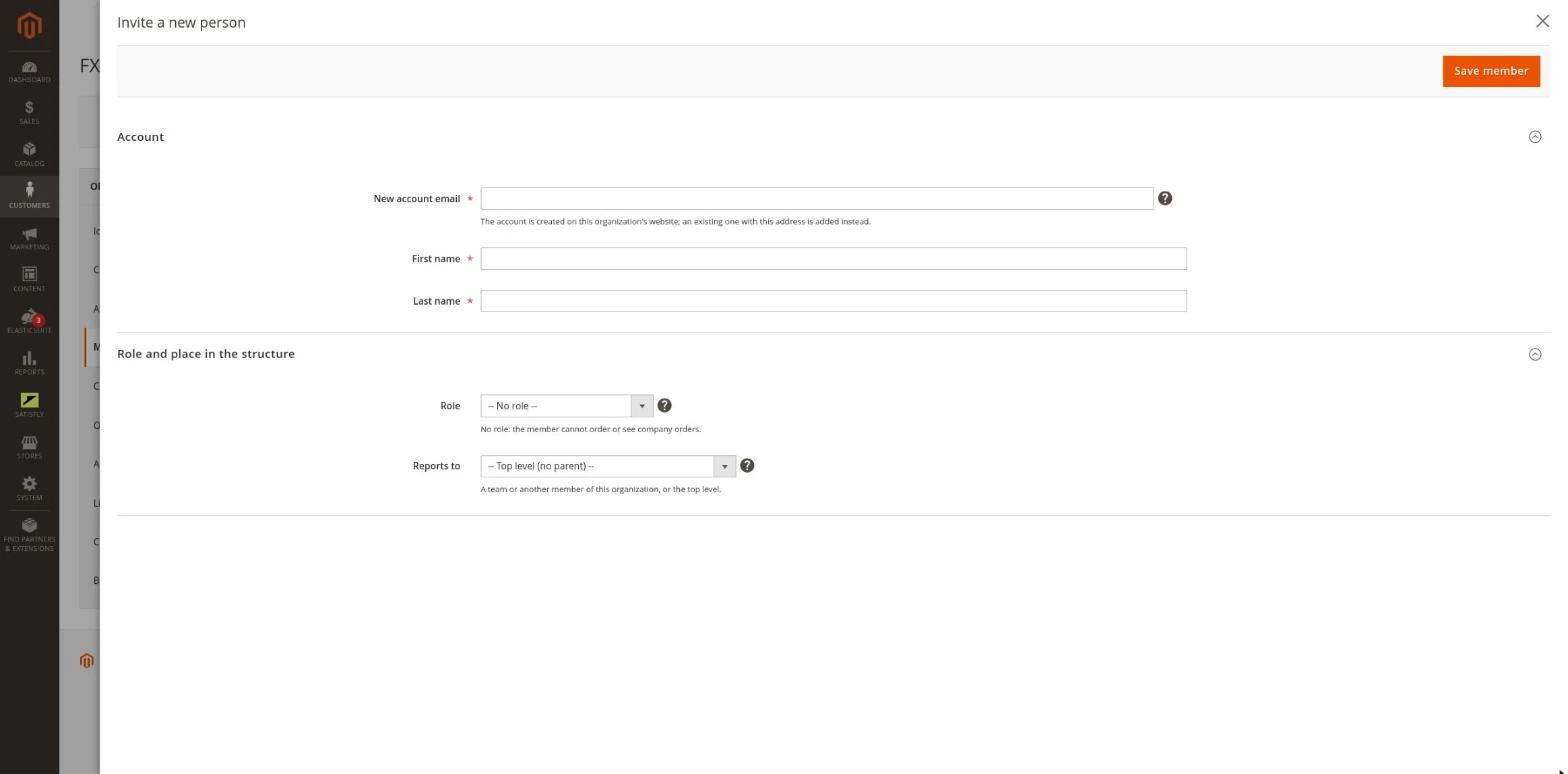
The organization edit page has a Members tab and a Teams list. You add a member from an existing account (selected from a list) or create a new account on the spot. You can change roles, block, unblock and remove members in bulk, and resend invitations and password links.
-
Invitations
A new membership has the
invitedstatus and becomesactiveonly after the invitation is accepted through a one-time link sent by email. The link expires after 7 days (the period is configurable). It can be resent or canceled. -
Membership lifecycle
A membership moves between the
activeandblockedstatuses. If the blocked company was the member’s only active company, the block ends their sessions and API tokens. The member receives an email, and only the merchant can lift a block set by the merchant. -
Storefront
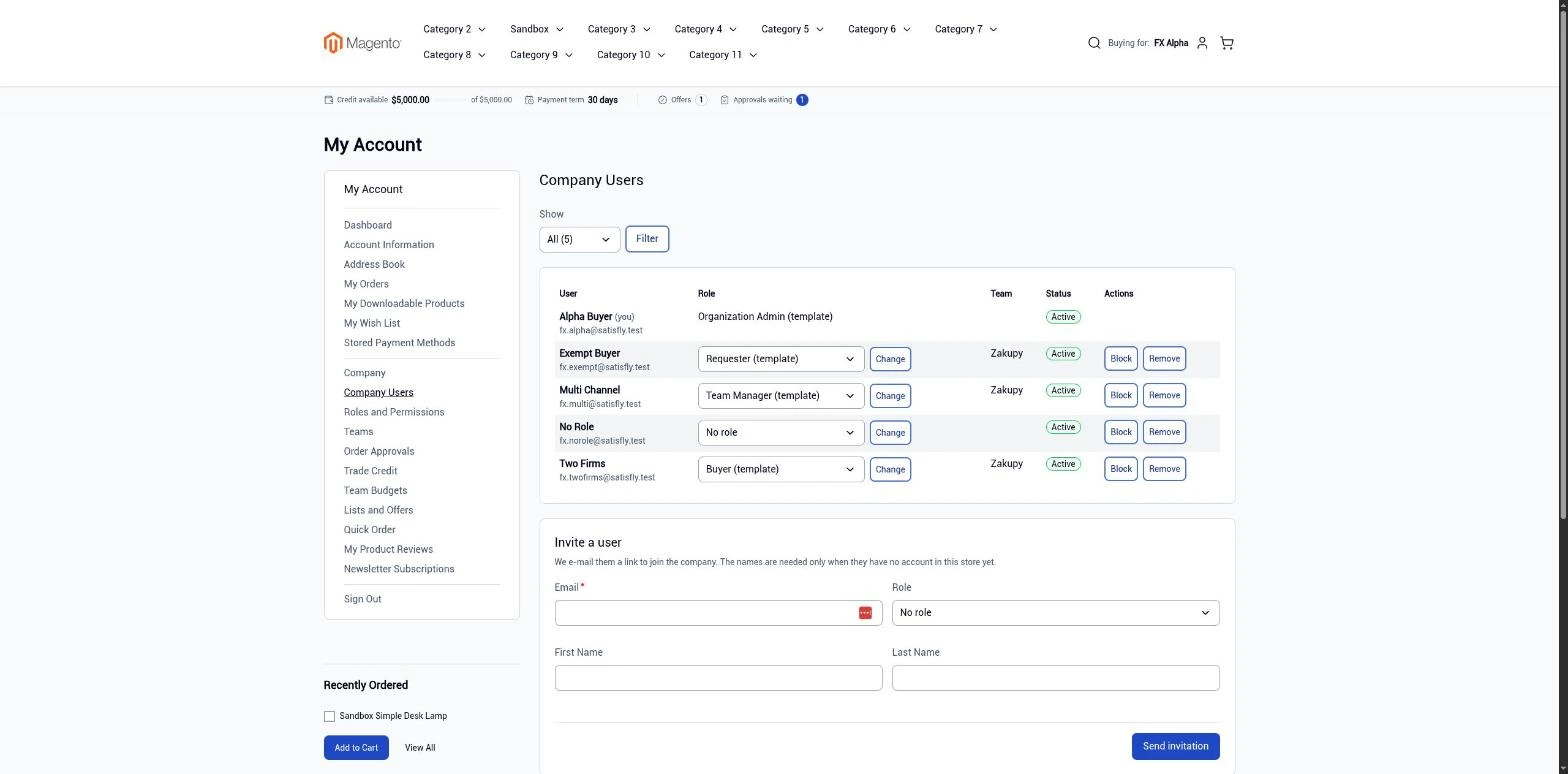
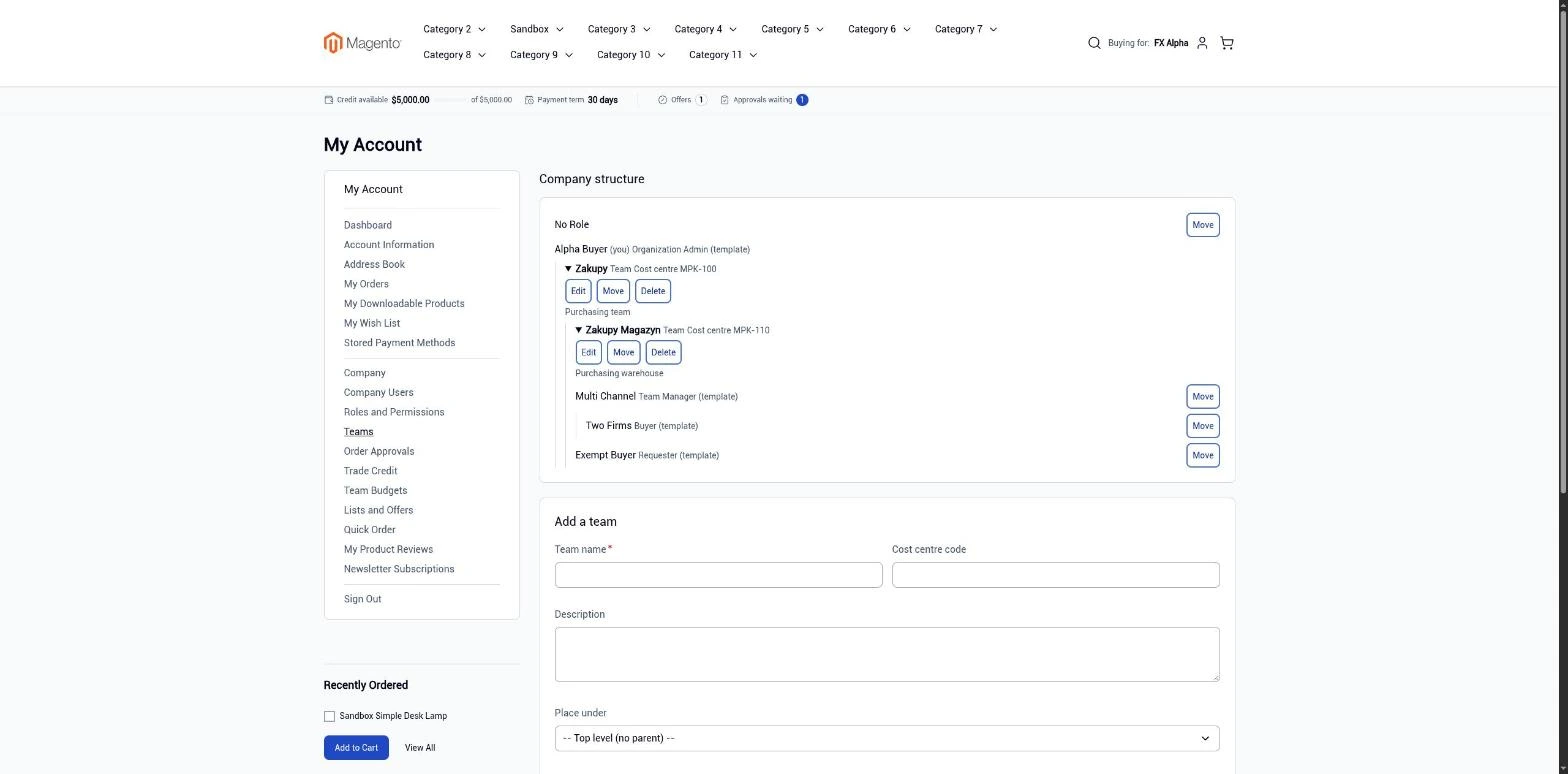
The customer account has two pages. Company Users is for inviting, changing roles, blocking, unblocking and removing users. Teams shows the company structure with teams, managers and cost center codes. Each user sees these pages according to their permissions.
-
Company registration
A public form at
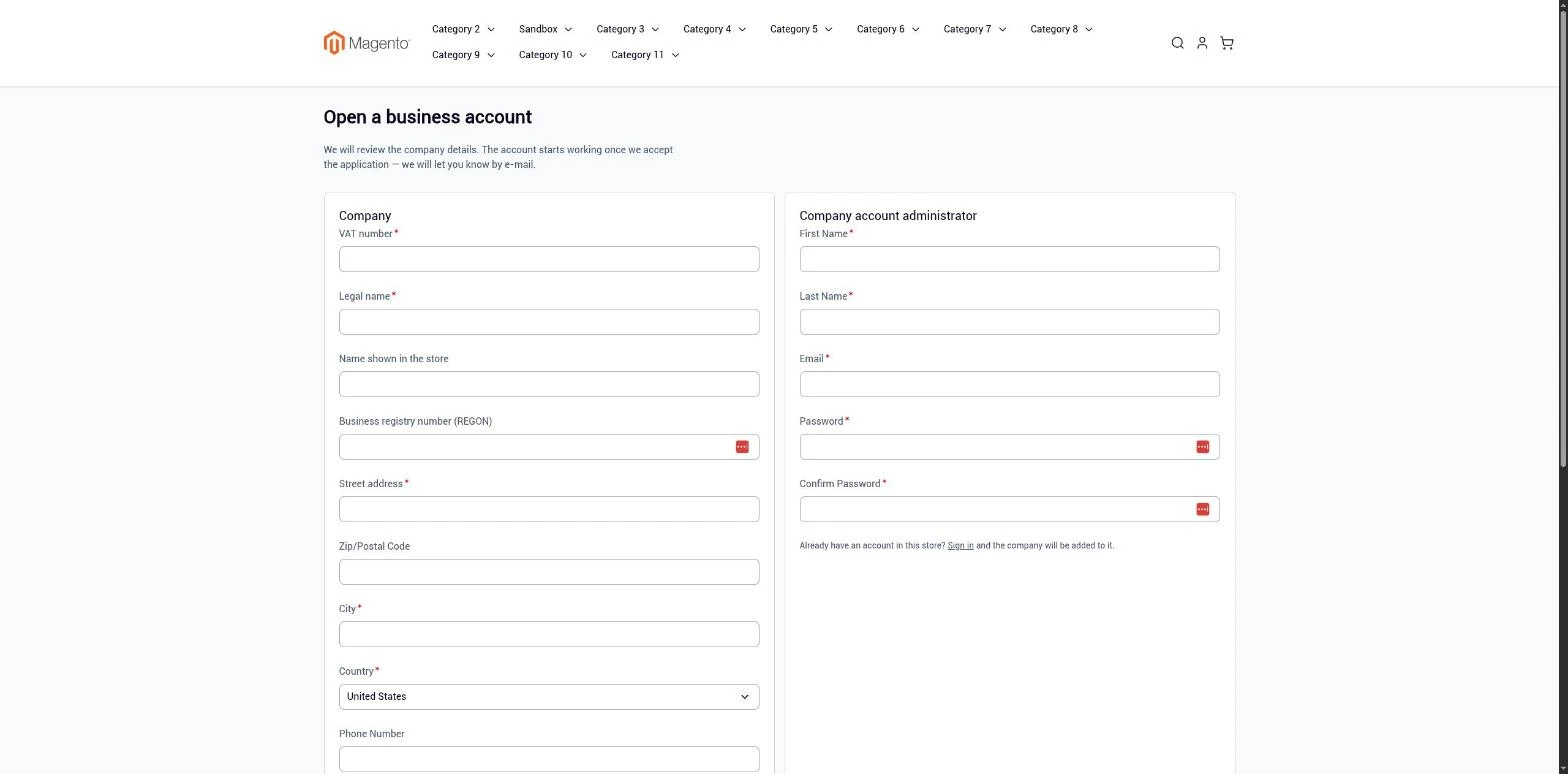
/b2b/registercreates an organization with the pending status for the merchant to approve. The form is protected by reCAPTCHA and per-address submission limits, and the store receives an email about every application. -
REST and GraphQL
Members and teams are available to integrations, and company users are available to headless storefronts.
-
Cron
A background job automatically expires overdue invitations.
Merchant
The merchant opens an organization, selects Add member and chooses an existing account or a new account. The new member receives an email about being added to the organization and, for a new account, a link to set a password. The member becomes active after accepting the invitation. The bulk actions menu on the member list lets you block, unblock and remove members, and resend invitations.
Buyer
Company administrator: in My Account > Company Users, invites colleagues by email, assigns roles, and blocks and removes users. In My Account > Teams, organizes teams and managers.
Invited person: clicks the link in the email, sets a password (or logs in to an existing account) and joins the company.
Notes and limitations
What to know before you roll out company user accounts.
-
 One customer account can have several memberships, each with its own role and status
-
For organizations on all websites, you cannot create a new account from the admin, because an account requires a single website
-
Adding an account from another website depends on the Magento Account Sharing Options setting
-
A failed password link email is only logged, and the admin message confirms that the link was requested, not that it was delivered
-
The admin form always sends an invitation. You can add an active member directly only with an integration token or an import


