


Company Orders
Every B2B order is assigned to the right company with a PO number, buyer and cost center,
and the same purchasing rules apply in every sales channel.

About the module
Every cart, order, invoice and credit memo knows which organization it was purchased for. It also records the customer’s purchase order (PO) number, the buyer, the team and the cost center. The module restricts payment and shipping methods per company, enforces the buyer role at checkout and cancels unpaid orders according to the merchant’s rules.
Compatibility
The Company Orders module is part of Satisfly B2B Suite. It works with version 2.4.7 and later, is compatible with Mage-OS and Magento Open Source, and works with popular themes such as Hyvä and Luma.
How it works
-
Orders assigned to a company
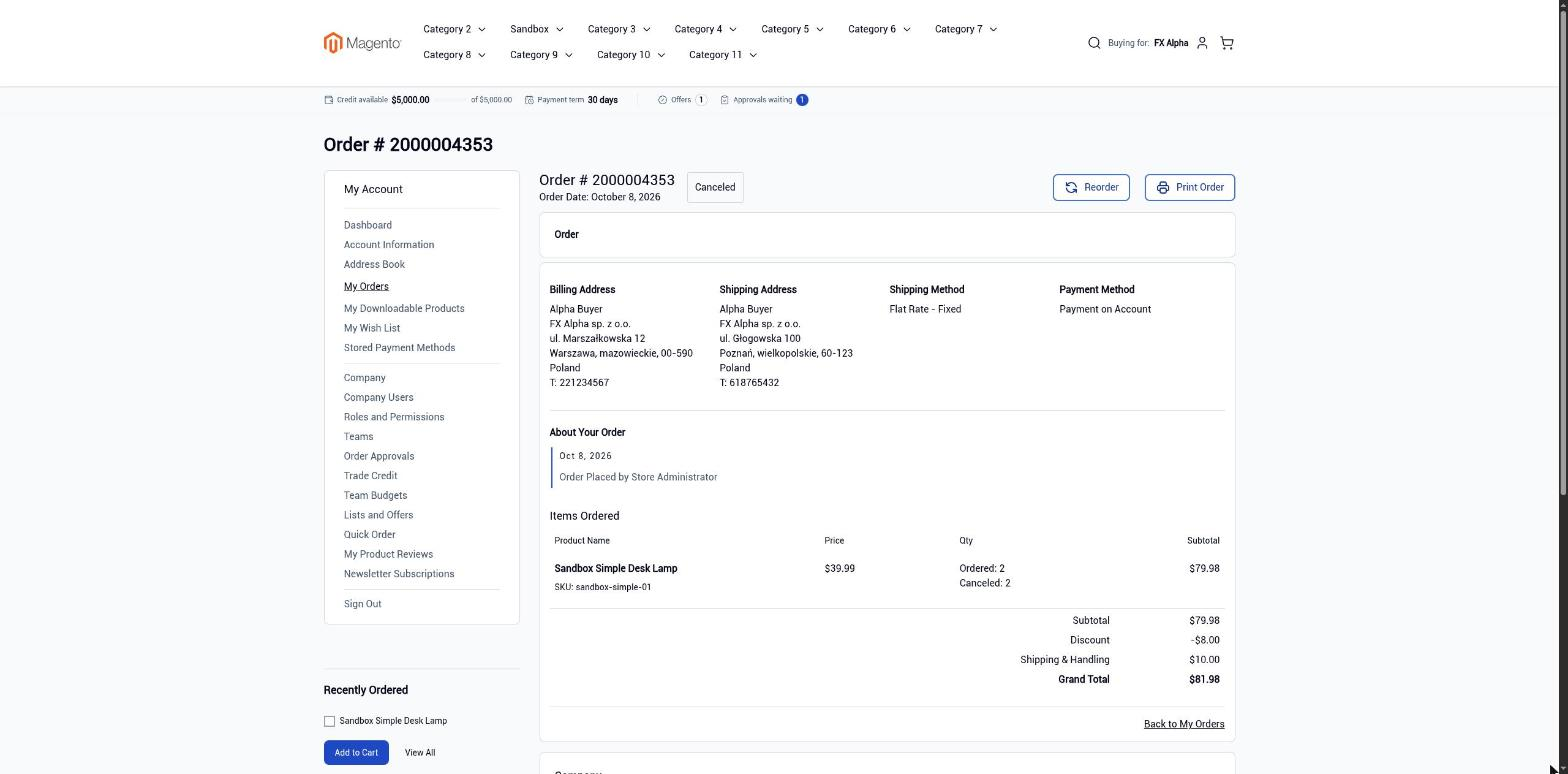
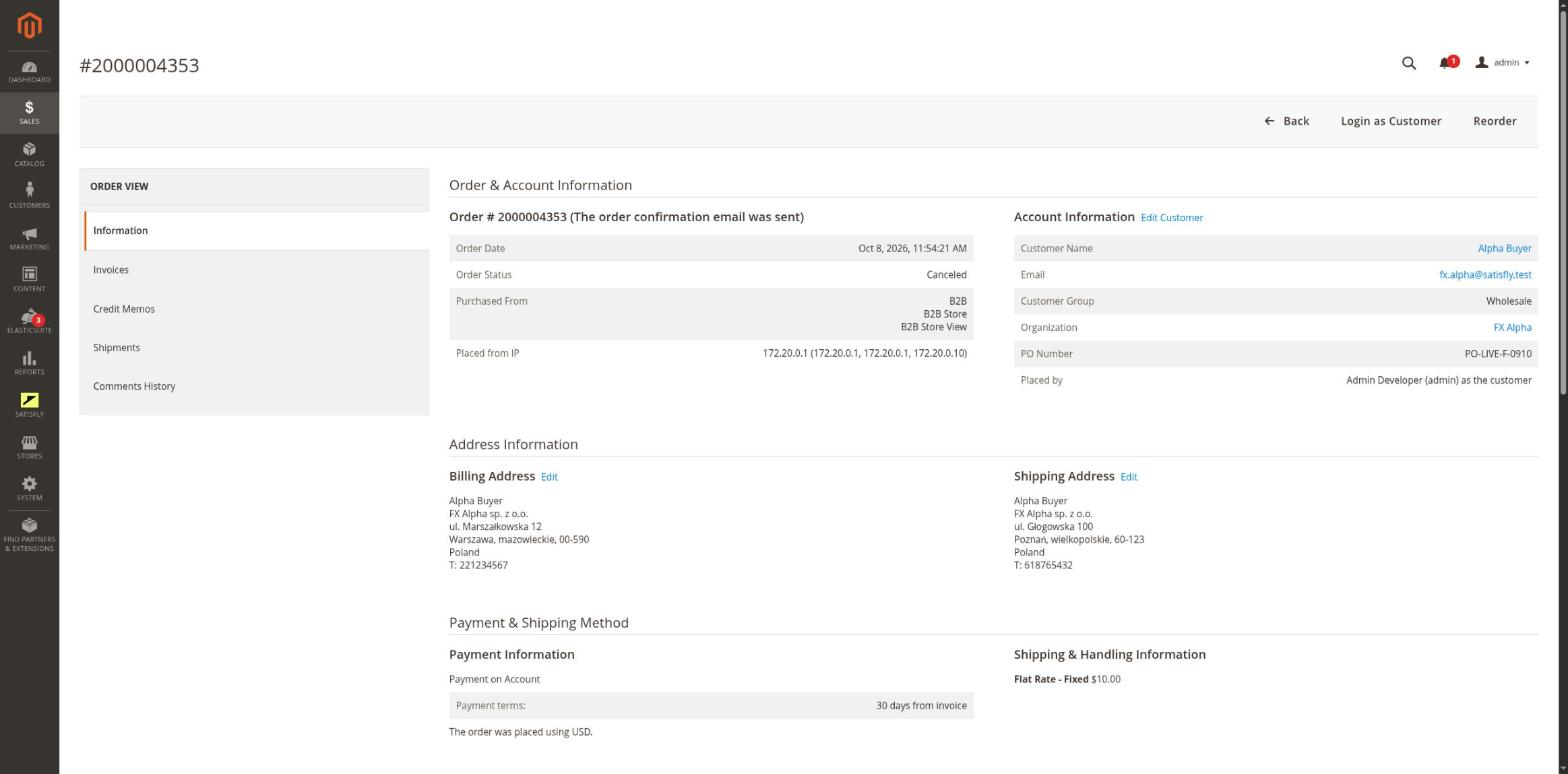
The organization and PO number are saved on the cart, order, invoice and credit memo, and shown in their grids. The buyer’s team and cost center are saved along with them. The order also shows who actually placed it: the customer, an admin user, “login as customer” or an integration.
-
The same rules in every channel
Storefront checkout, REST, GraphQL, the admin and the CLI all check the same things: whether the organization and the buyer’s membership are active, whether the required PO number was provided and whether the role allows placing the order. An order that requires approval is rejected with a clear message. The approval process itself is handled by the organization-approval module.
-
Checkout
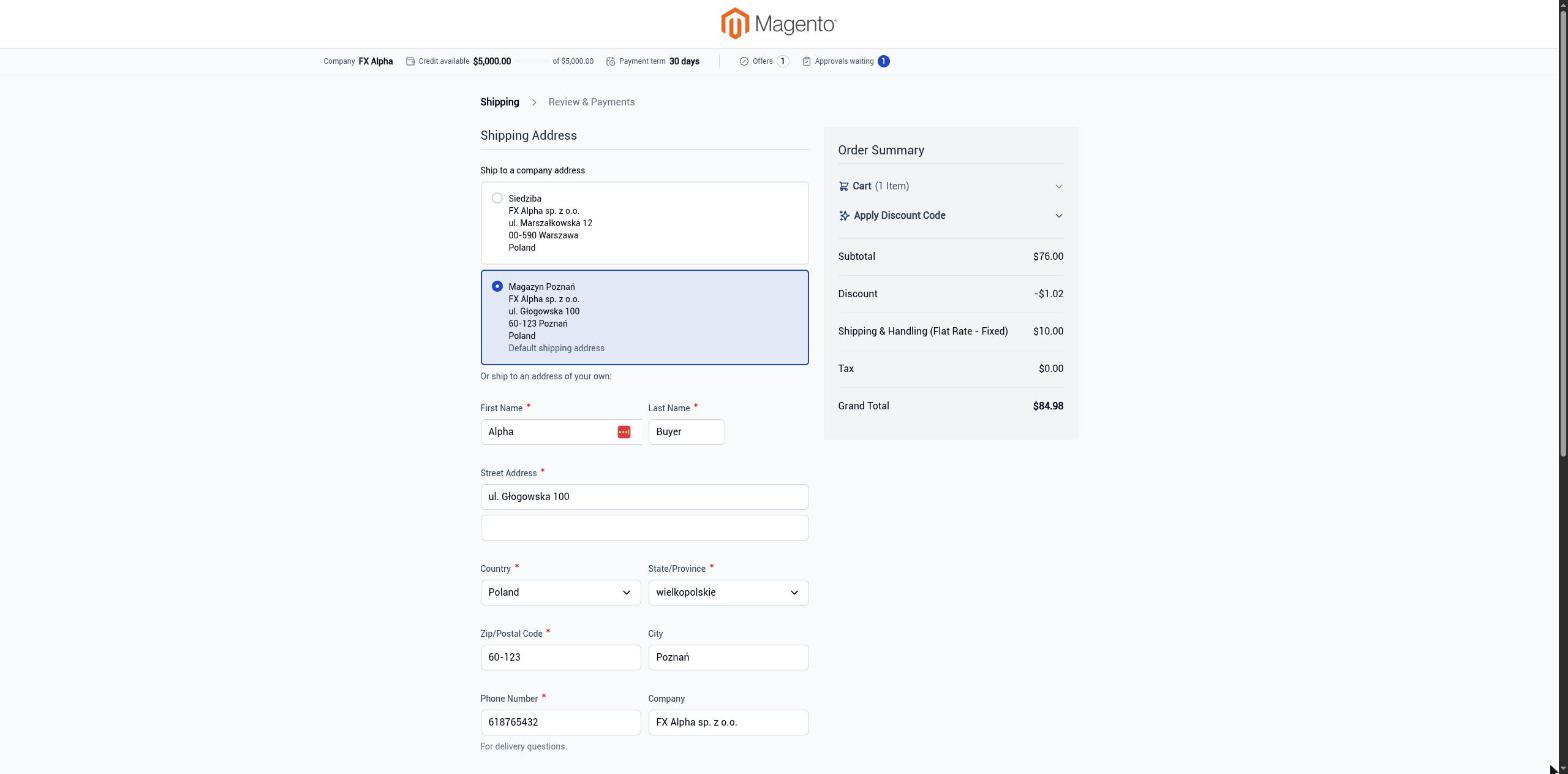
The payment step has a PO number field. The billing address is locked to the company’s default billing address (with the VAT number), and orders can be shipped to any company address.
-
Order visibility in the storefront
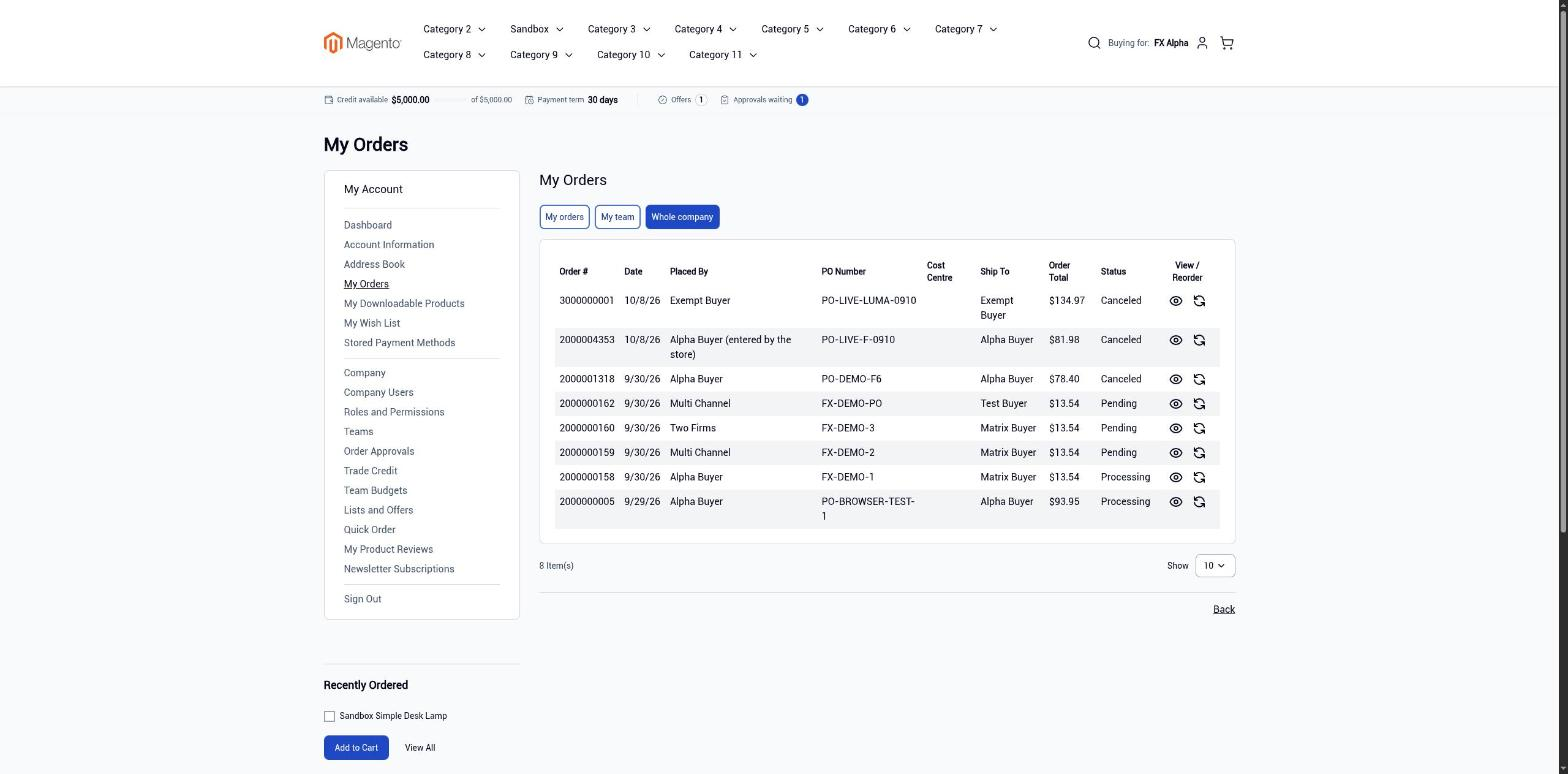
“My orders”, the account dashboard and order pages show the buyer’s own orders, their team’s orders or the whole company’s, depending on their role. Order history has a scope switcher and “Placed by”, “PO Number” and “Cost Centre” columns. The order page has a “Company” block. Invoice and credit memo links are hidden if the user does not have invoice permission.
-
Magento admin
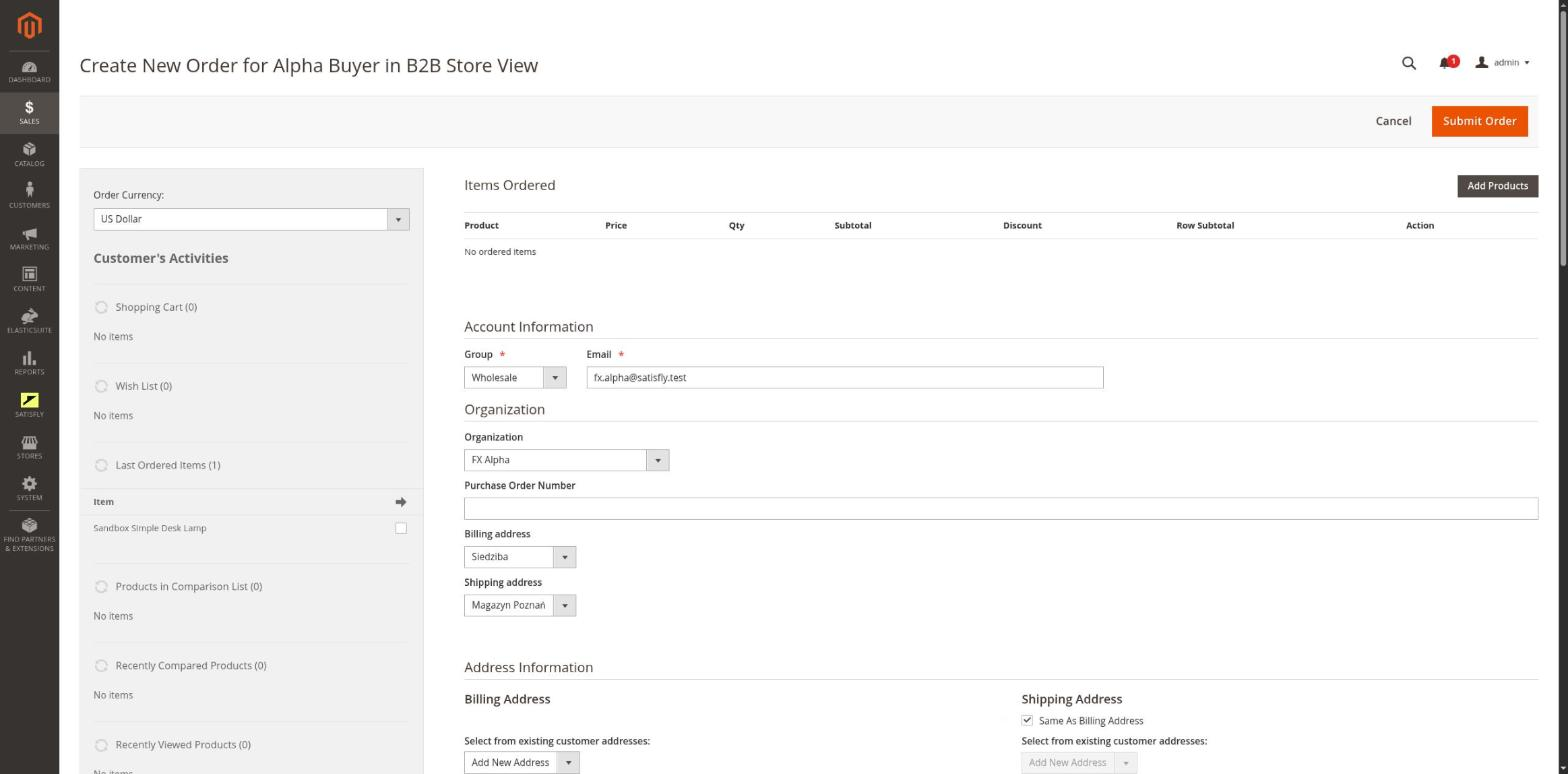
The Orders, Invoices and Credit Memos grids have an “Organization” column, and the order page has an organization block. When creating an order, you select the organization, PO number and addresses. The organization form has a “Checkout restrictions” fieldset and an “Orders” tab.
-
Payment and shipping per company
Each organization can be limited to selected payment methods and carriers. If you select nothing, all active methods are available.
-
Canceling unpaid orders
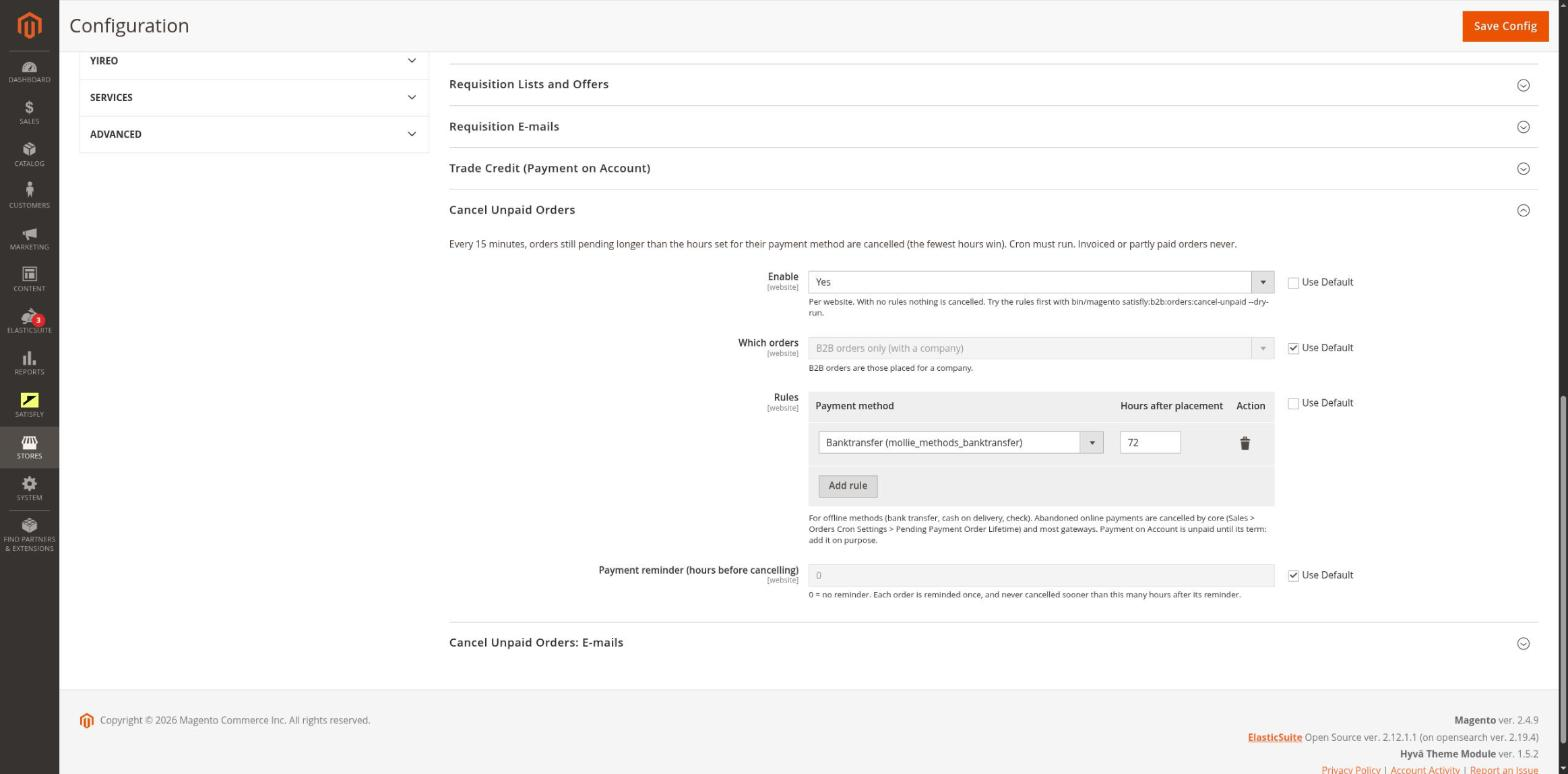
Rules set per website (payment method and number of hours) cancel orders that nobody has paid for. Before that, the customer can receive a reminder email, and after cancellation a notification email. It runs through cron and the CLI and is disabled by default.
-
REST and GraphQL
Orders have extension attributes, including the organization, PO number, cost center, team and order author. Integrations get endpoints for the company’s orders and allowed methods, and GraphQL lets you set the PO number on the cart.
-
Order events
Company orders publish order.placed and order.status_changed events. Rep-bridge delivers them to the sales rep app. The order.placed event also identifies the offers from which order items were purchased.
Buyer
The buyer purchases for the active company and enters a PO number if the company requires one. They see the company billing address as read-only. The placed order appears in “My Orders” according to their role.
Merchant
The merchant creates an order in the admin by selecting the organization, PO number and address. On every order, invoice and credit memo, they see the organization, buyer and cost center. On the organization form, they restrict the payment and shipping methods available to the company.
Notes and limitations
What to know before you roll out company orders.
-
 Multishipping (shipping one order to several addresses) is disabled on B2B websites
-
The role-based order history filter works only on B2B websites
-
Automatic cancellation is meant for offline payments. Abandoned online payments are handled by the Magento Pending Payment Order Lifetime setting
-
Before enabling cancellation, run a –dry-run test, because the first run cancels old pending orders (up to 200 per website)
-
You need to reset the saved order grid view in the admin to see the Organization and PO Number columns
-
REST orders for a company that requires a PO number are currently rejected. The admin order creation screen handles this case


