


Account Manager and Support Contacts
Every company sees its account manager and contact people in the store, so buyers know who to call before they even start looking.
About the module
The module assigns each company an account manager and other contacts, such as order support, and shows them to buyers from that company. If a buyer has their own assigned contact, it is shown instead of the company contact.
Compatibility
The Account Manager and Support Contacts module is part of Satisfly B2B Suite. It works with version 2.4.7 and later, is compatible with Mage-OS and Magento Open Source, and works with popular themes such as Hyvä and Luma.
How it works
-
Magento admin
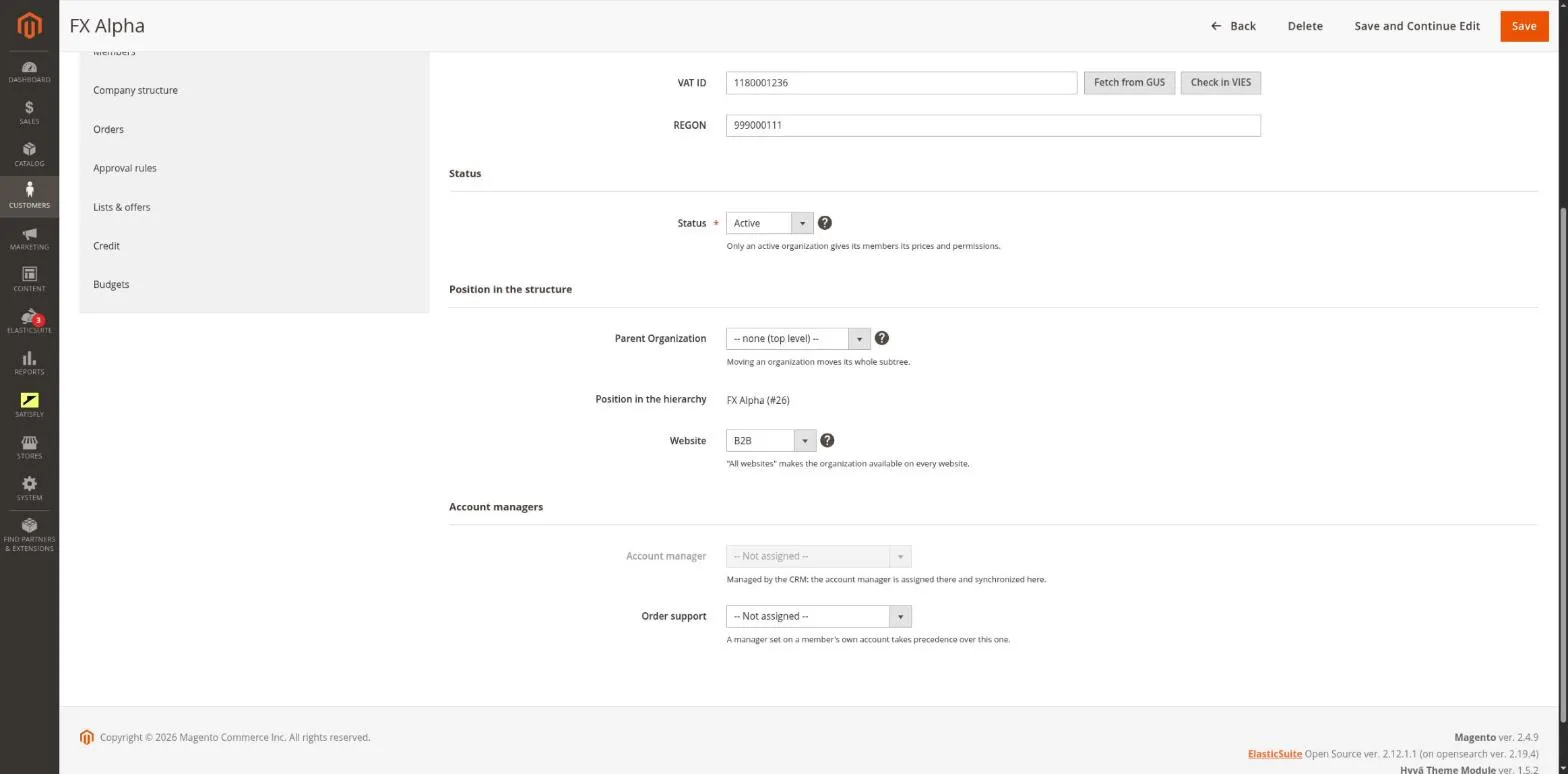
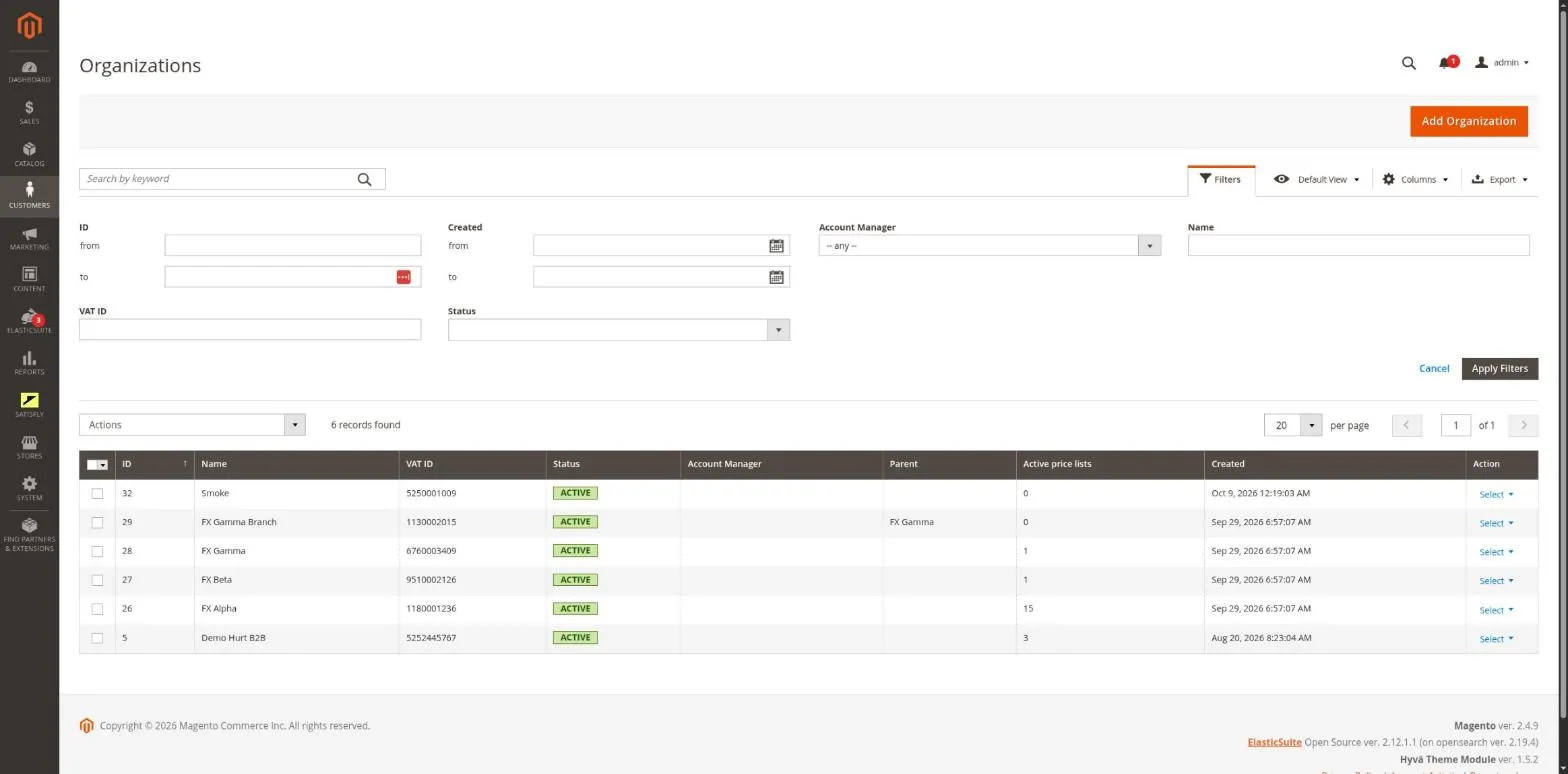
The organization form has an Account managers section with one selection field for each contact type. You manage contact types in Customers > B2B > Contact Types. The organization list has an Account Manager column and filter, as well as a My companies filter.
-
Contacts in the storefront
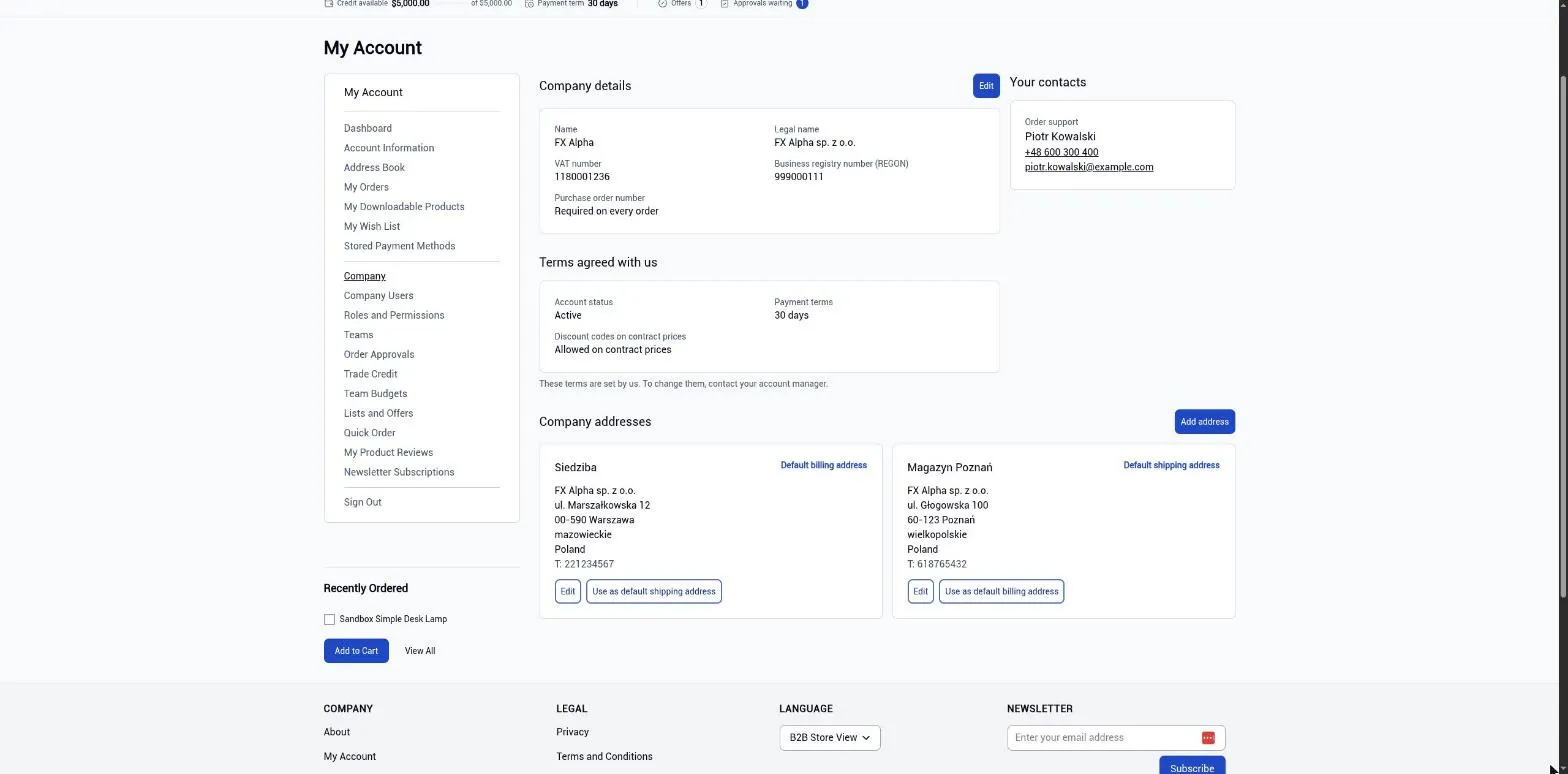
The company page shows contact cards with the name, job title, phone, email and photo. The account manager is also shown in the company information bar below the header.
-
Email notifications
Account manager details are added to organization status emails.
-
Safe deletion
A contact that is still assigned to a company cannot be deleted in the contacts panel.
-
GraphQL
The account_manager field is available on the logged-in customer’s company.
-
Sales rep app
When the sales rep app is connected through rep-bridge, the app assigns the account manager. It matches them by external ID or email address, and the admin form shows the account manager as read-only.
Merchant
The merchant opens an organization and selects its account manager and other contacts. On the organization list, they filter by Account Manager or My companies to see a given person’s companies.
Buyer
If their role allows it, the buyer sees contact cards on the company page in My Account > Company. The account manager’s name, phone and email are shown in the company information bar.
Notes and limitations
What to know before you roll out account managers and support contacts.
-
 The My companies filter narrows the list, but does not limit which companies an admin user can open
-
You cannot filter the list to show companies without an assigned account manager
-
When the sales rep app is connected, the account manager is read-only in the admin
-
A customer’s personal contact always takes priority over the company contact


