


Roles and Permissions
Everyone in the customer’s company does exactly what they should: some place orders, others only request them, and accounting sees the invoices. You can check it through the buyer’s eyes at any time.

About the module
The module assigns roles and permissions within the customer’s company. It defines who can place orders and who can only request them, who sees which orders and invoices, and who manages colleagues. The merchant gets ready-made role templates and a console that shows what a given role means for a specific person.
Compatibility
The Roles and Permissions module is part of Satisfly B2B Suite. It works with version 2.4.7 and later, is compatible with Mage-OS and Magento Open Source, and works with popular themes such as Hyvä and Luma.
How it works
-
Role templates
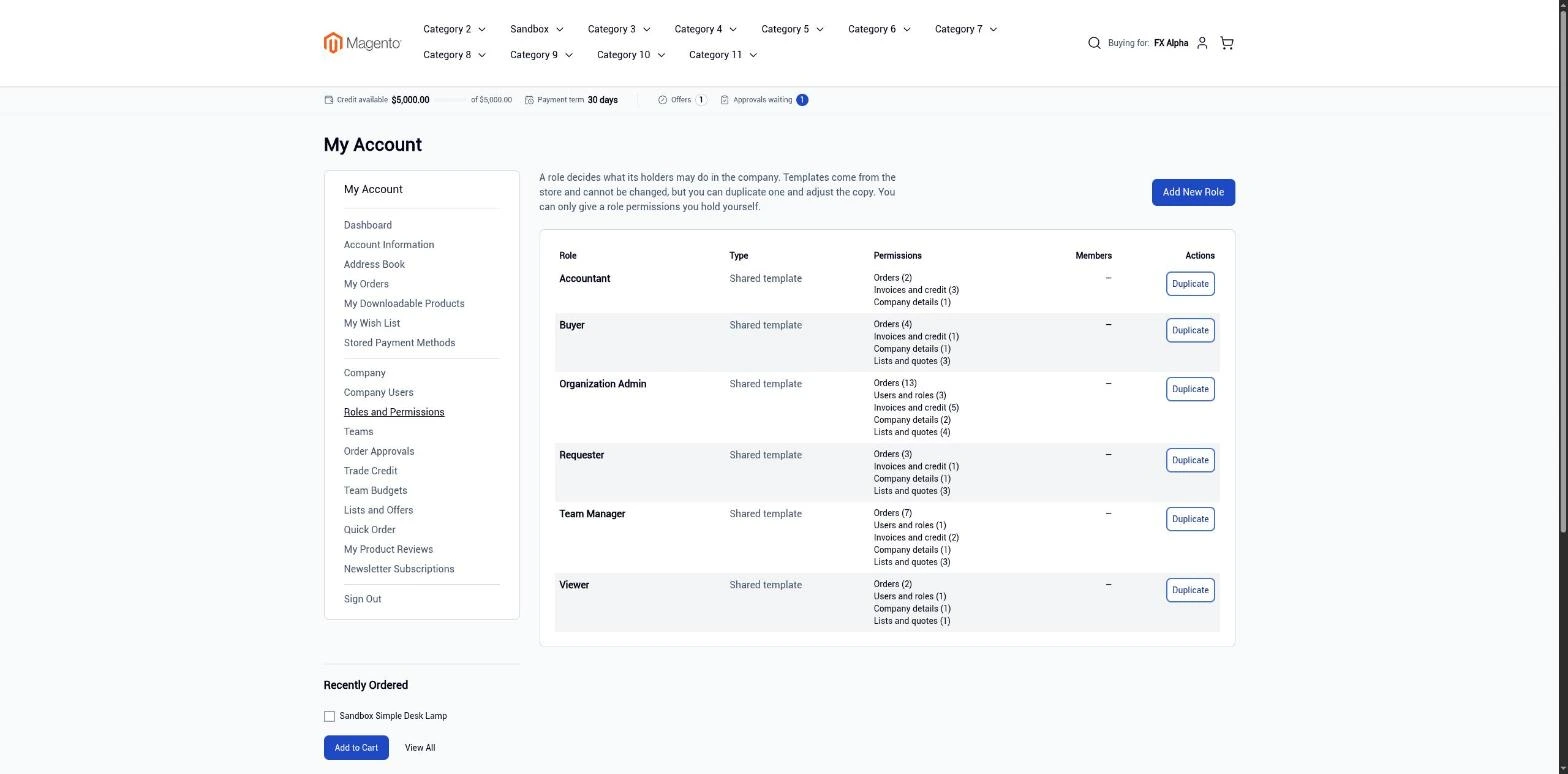
Installation creates starter roles: Organization Admin, Buyer, Requester, Accountant, Viewer and Team Manager. The templates are shared by all companies.
-
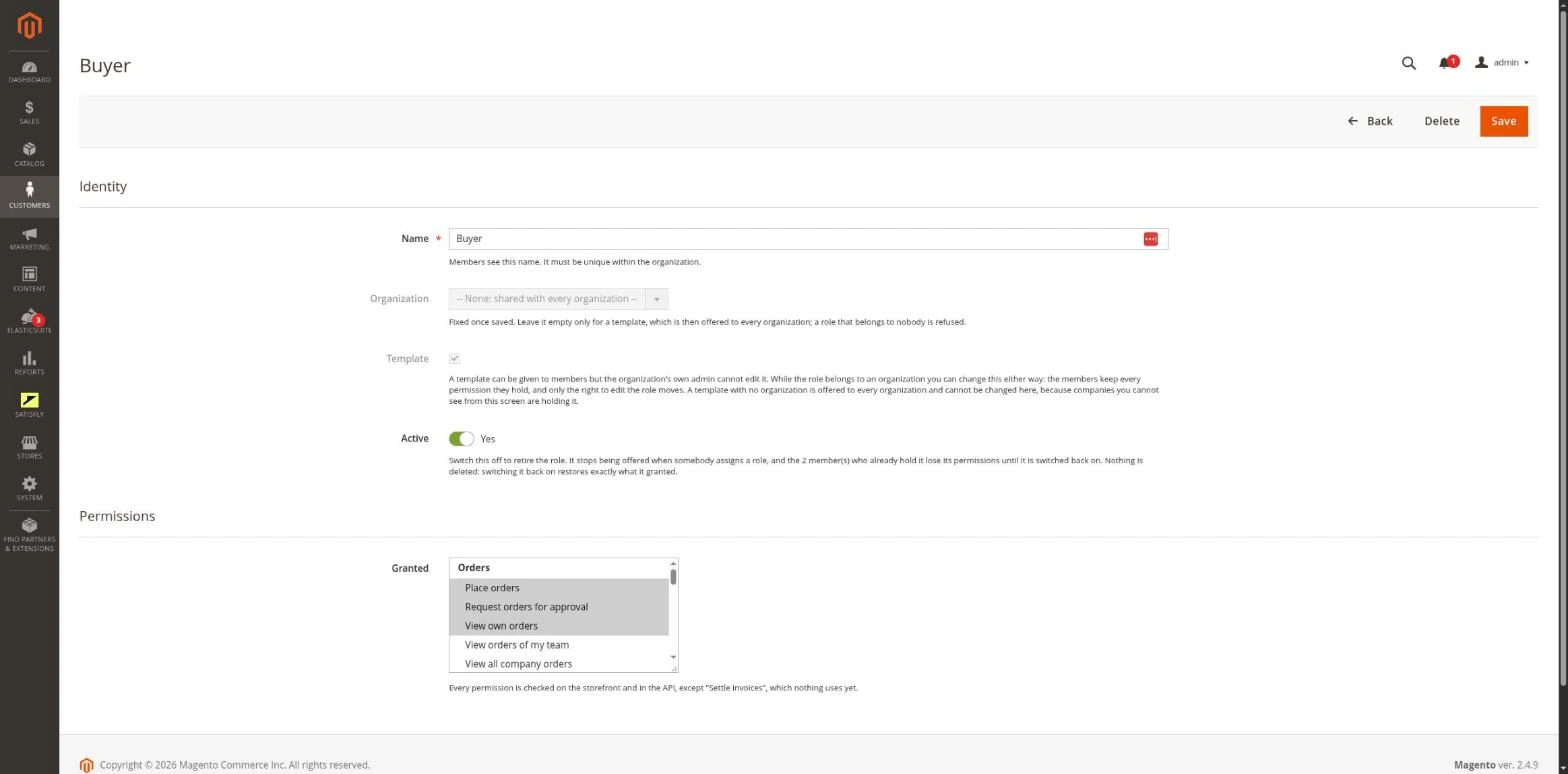
Company roles in the admin
You create and edit roles for a specific company or as a shared template, using the permission tree. Only permissions at the lowest level of the tree can be granted. Granting a write permission automatically adds the matching read permission.
-
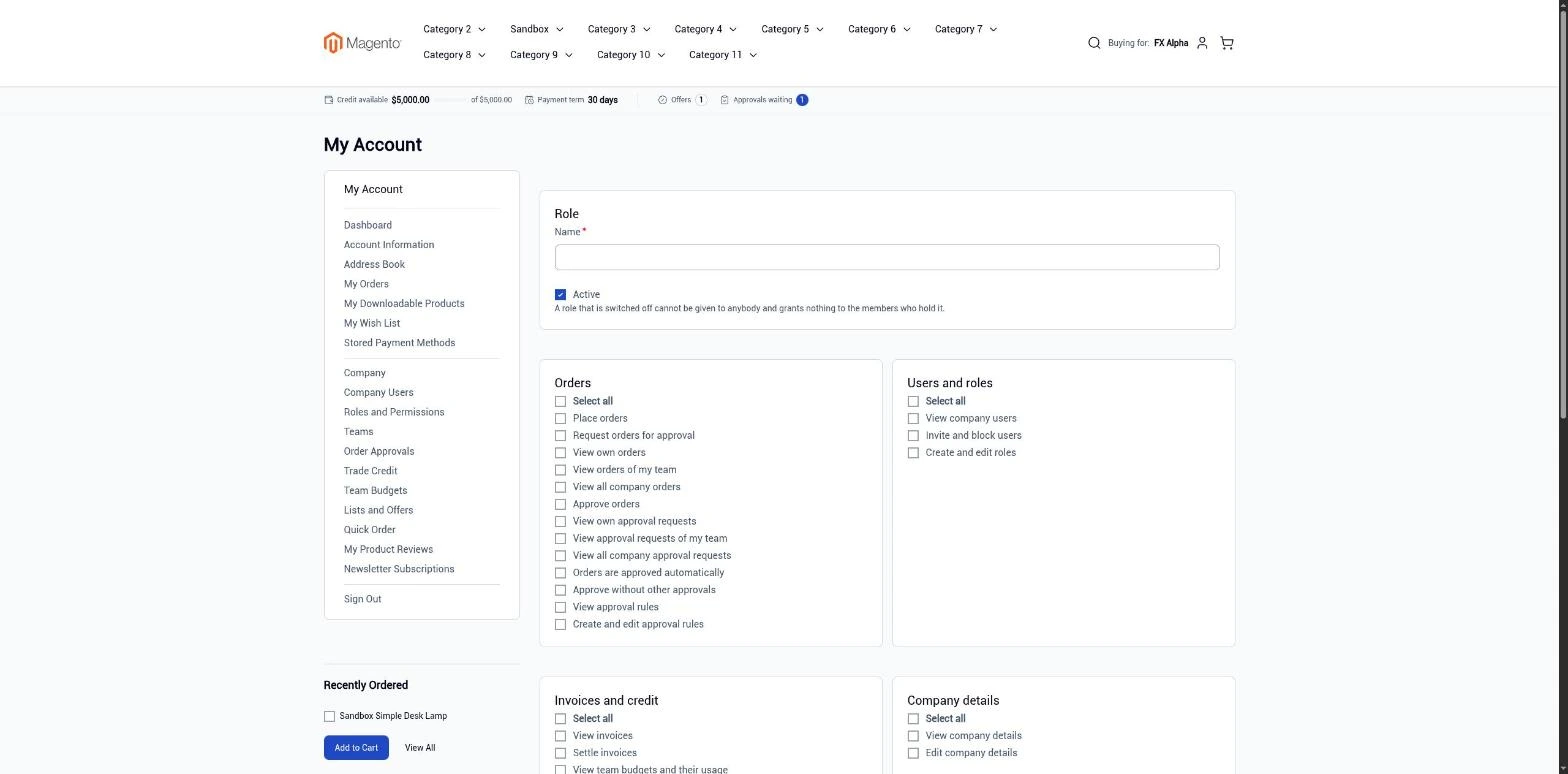
Company roles in the storefront
On the Roles and Permissions page in the customer account, the company administrator manages the company’s own roles. A member can grant others only the permissions they have themselves.
-
Route guard
Every B2B page in the store is checked against the member’s permissions in the company they are acting for.
-
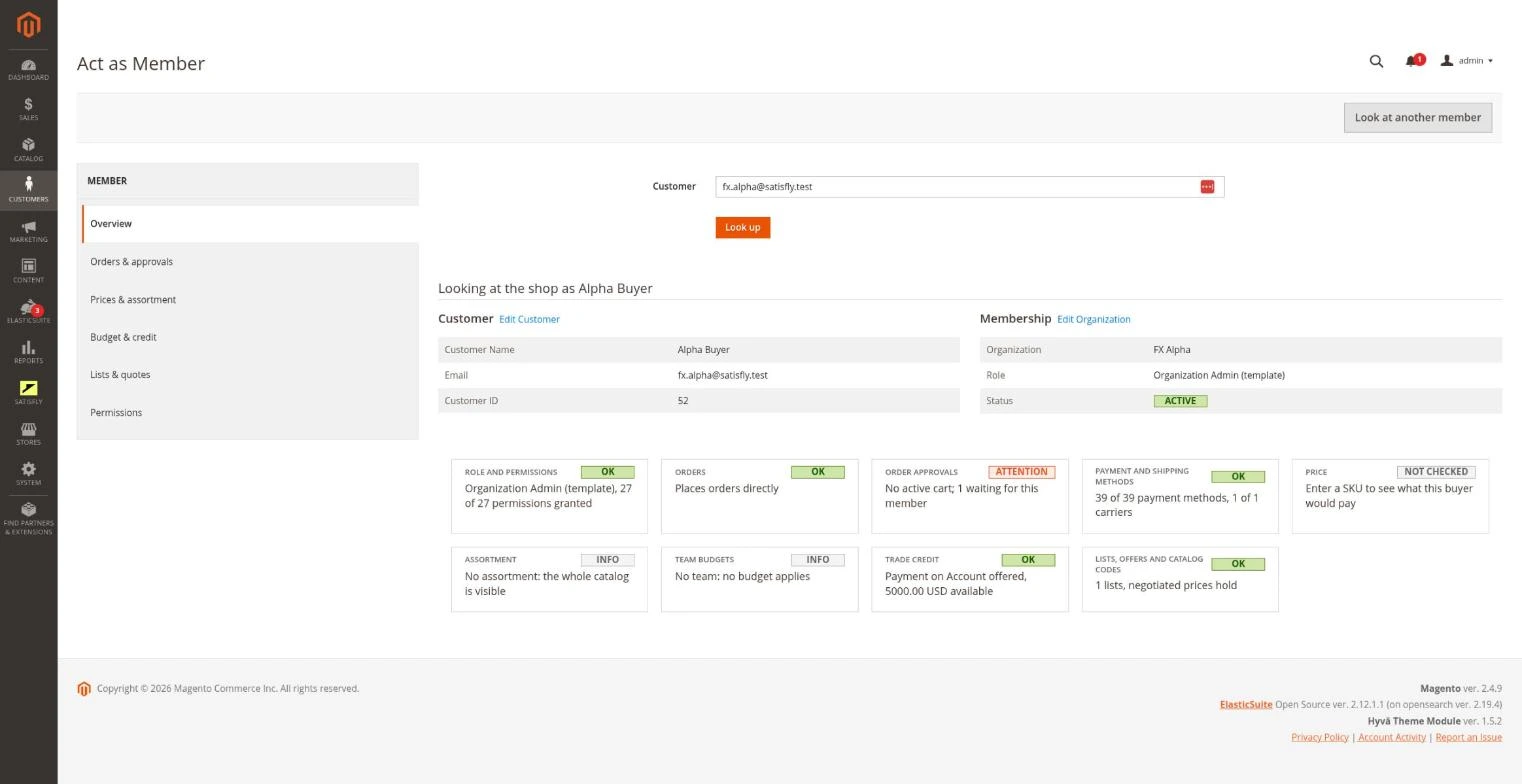
Act as Member console
The admin console shows the buyer’s role, permissions, orders, prices, budgets and lists exactly as the buyer sees them. Each area has its own tab.
-
REST and GraphQL
Through REST, integrations can access company roles. Through GraphQL, the roles a customer can assign are available.
Merchant
In Organization Roles, the merchant adjusts the templates or gives a single company its own role. The role is assigned directly to a company member. The Act as Member console lets the merchant check what a given person can do.
Company administrator
In My Account > Roles and Permissions, the company administrator creates roles and selects their permissions within their own company.
Notes and limitations
What to know before you roll out roles and permissions.
-
 A member without a role has no permissions: they cannot place orders or see the company’s orders
-
A member can manage only people whose role has no more permissions than their own, and never themselves
-
Permissions are per company: a customer in two companies has a separate role in each
-
Permissions are cached within a request, so a role change during that request requires a new resolver
-
The payment_make permission is declared, but nothing enforces it yet
-
Saved grid views in the admin may hide new columns in the role list


